23/05/2019Roundshot VR Drive Instruction Manual – Firmware Version 2.023 35
2.2 Setting up the digital camera
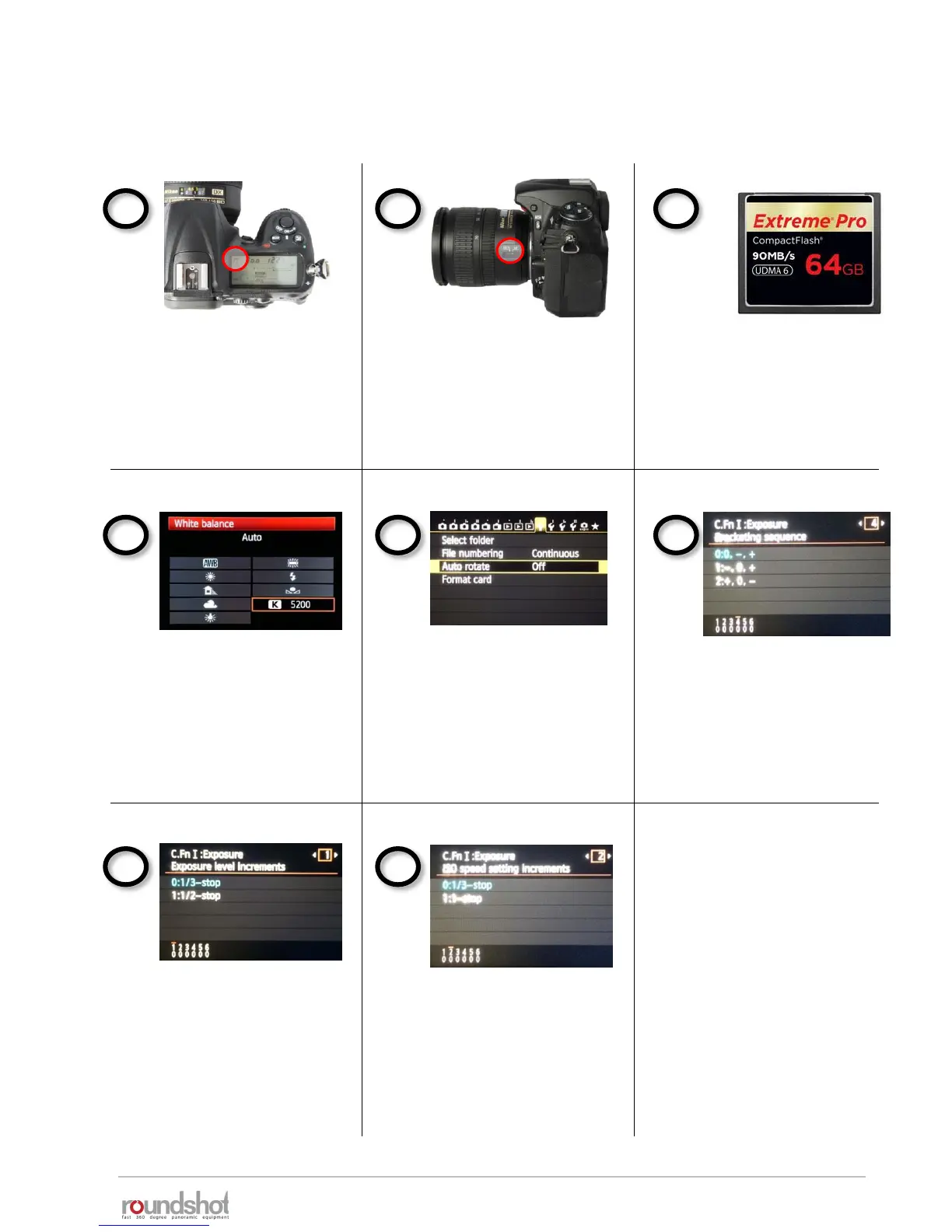
Always use manual exposure.
With automatic exposure the
images will be differently
exposed and the VR Drive can
no longer set up the exposure
values for automatic exposure.
Always use manual focusing. Use a fast storage card with
enough capacity.
Set the white balance to a
fixed value. When setting the
white balance to “auto”, every
image will have a different
tone, making the stitching
problematic.
Please make sure that your camera settings correspond to the following:
Set the exposure increments
to 1/3 steps. When selecting
1/2 steps the VR Drive can
no longer set the correct
exposures.
Turn the “Auto rotate” feature
to “off”. When automatically
rotating the images the
stitching will not perform
correctly.
Set the ISO speed setting
increments to 1/3 steps.
When selecting 1/1 steps the
VR Drive can no longer set the
correct exposures.
For bracketing in quality
mode, program the desired
bracketing sequence (number
of images, Evs); for HDR
mode turn it off as the VR
Drive will control the camera



 To Next Page