23/05/2019Roundshot VR Drive Instruction Manual – Firmware Version 2.023 28
2.1.4 External light meter
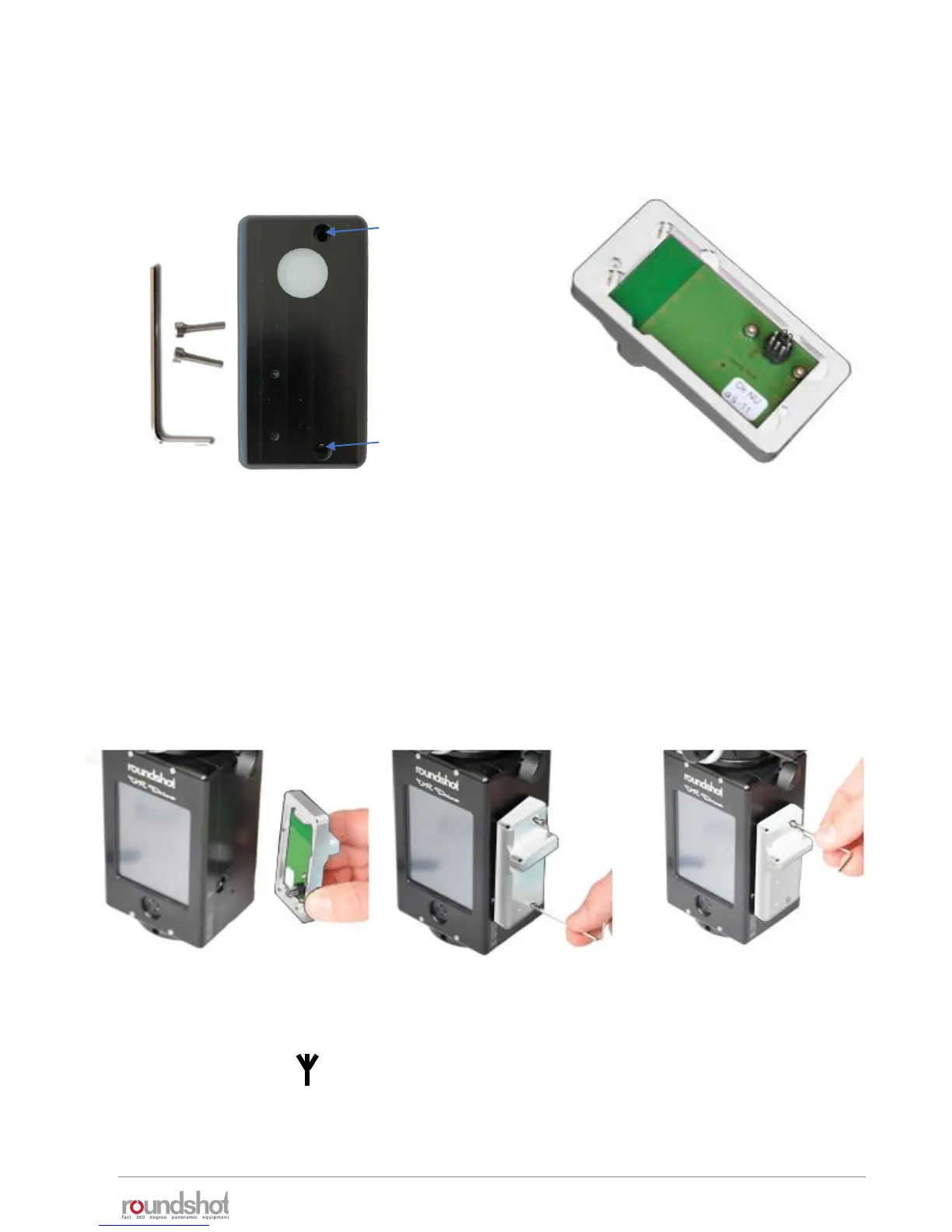
The light meter sensor consists of the following parts:
Allen key with
screws
Light meter
sensor
Never place the light meter sensor
on the connector pins as they are
fragile.
Socket
for
upper
screw
Socket
for
lower
screw
Attach the light meter in the following way:
Insert the light meter
pins into the plug
marked with the
antenna symbol:
Insert the lower screw
and attach it with the
allen key.
Insert the upper screw
and attach it with the
allen key.



 To Next Page