23/05/2019Roundshot VR Drive Instruction Manual – Firmware Version 2.023 131
6.8 Video vs. timelapse mode
“Video” and “timelapse” modes, are used to move the camera smoothly through a custom
path to generate an animated movie.
The main differences between these 2 modes are the following:
• In “timelapse” mode the VR Drive is used to release the camera and take pictures every ...
seconds or degrees. The images will later be compiled together and accelerated to get a
timelapse movie.
• In “Video” mode the VR Drive is used as a pure motorised arm. No image is captured and
the camera needs to be set to capture a video.
For both modes the camera can be used in automatic focus and exposure time.
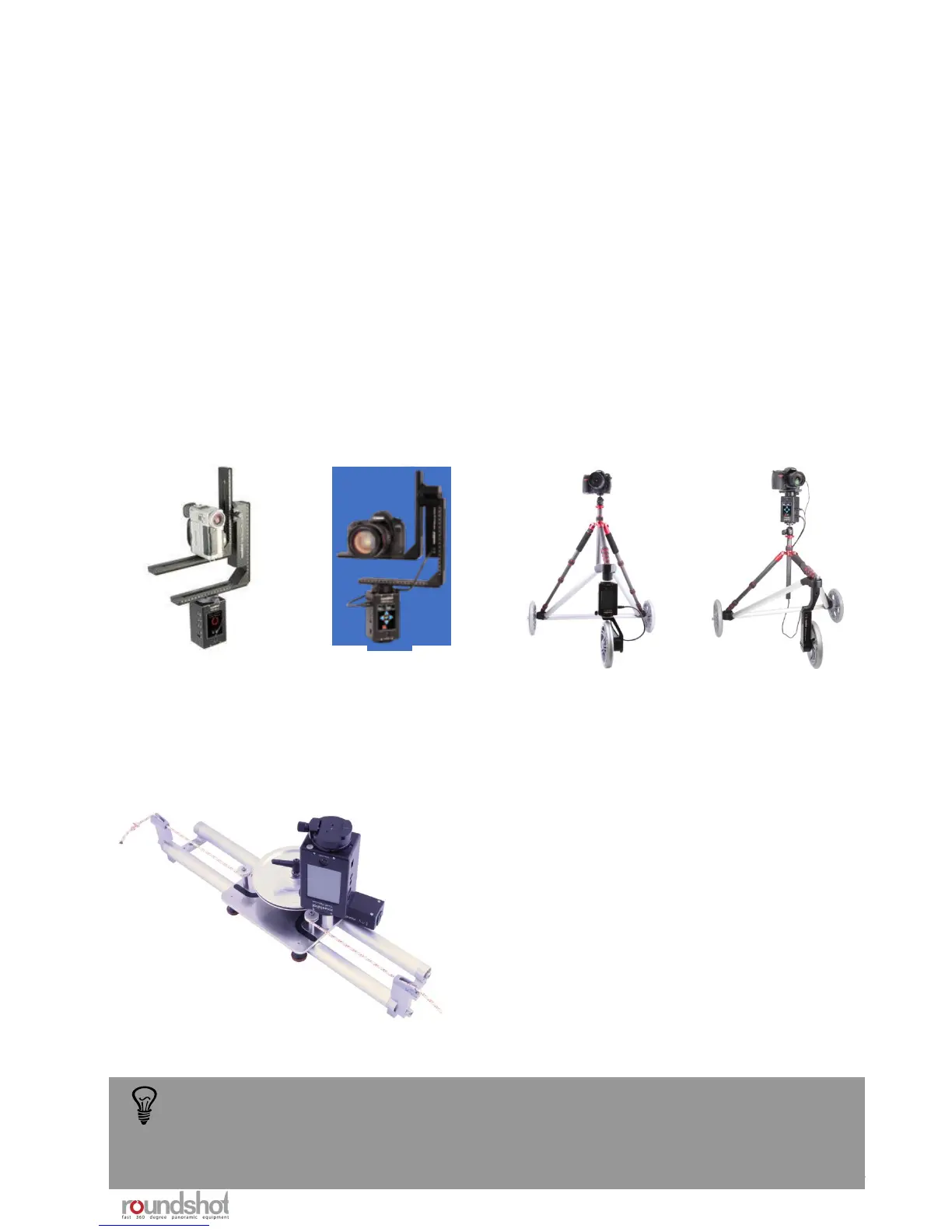
Several hardware options are compatible with both modes:
The rotation according to the nodal point is not necessary as no stitching is required
on the final images. The camera is positioned freely to deliver the required video or
timelapse sweep.
360°: this is the basic VR Drive functionality.
A second L-bracket is used so that the
camera can be mounted in landscape format.
Dolly: The VR Drive x- and y-motors are
mounted on a dolly structure. The y-motor is
used to move the dolly forward and the x-
motor is either used to change dolly
direction or to rotate the camera.
Linear rail: The VR Drive x- and y-motors are
mounted on a linear rail structure. The y-
motor is used to move along the rail and the
x-motor is used to rotate the camera.



 To Next Page