23/05/2019Roundshot VR Drive Instruction Manual – Firmware Version 2.023 36
2.3 Setting up the VR Drive software
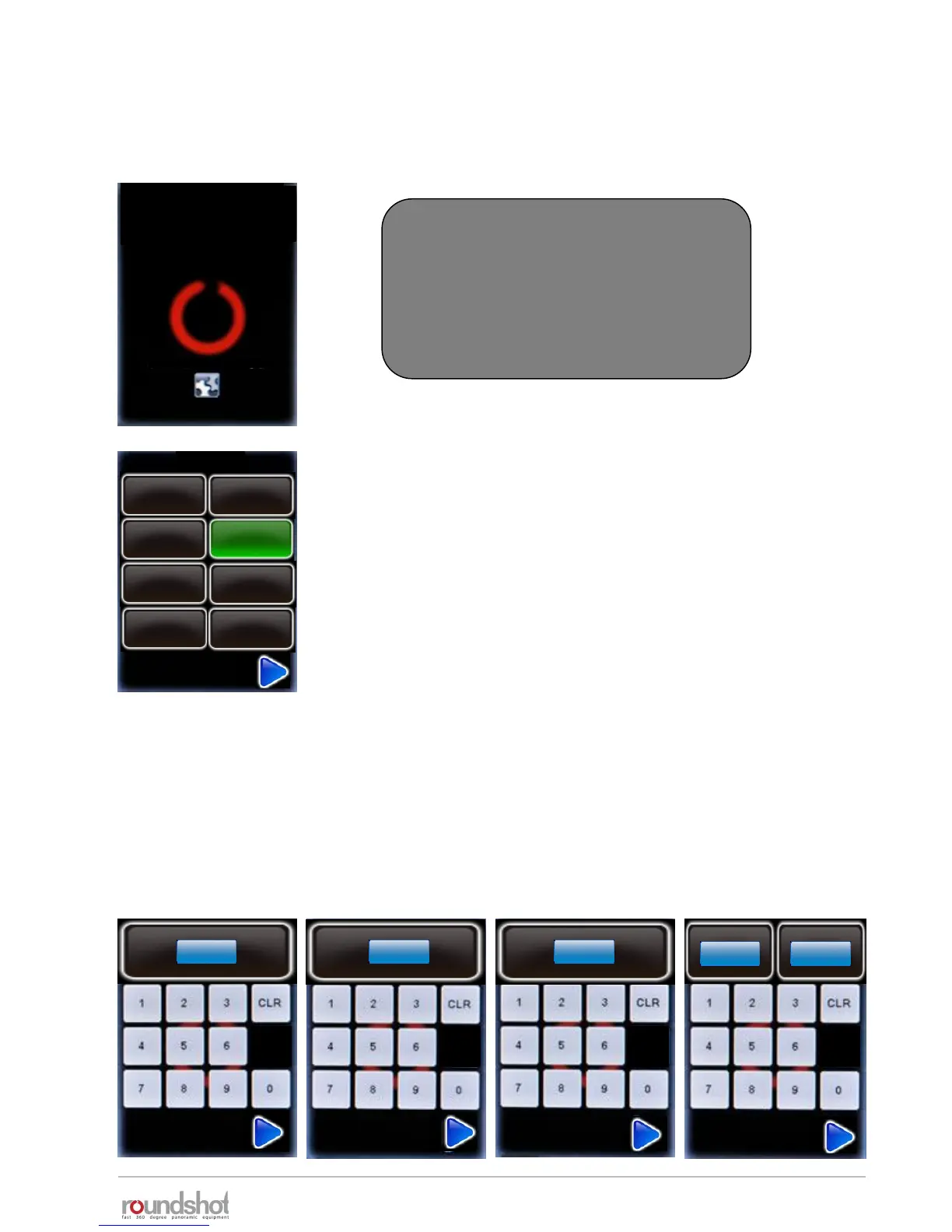
Press the VR Drive “on/off” button to start the VR Drive:
Now set the year, month, day and time by using the number keypad.
When several entry fields are available, the active one is highlighted in light blue, the inactive
one in darker blue. Click on an entry field to activate it.
Confirm the entries with the “next” button.
New VR Drives are delivered
with your language, time settings
and camera favourites already set up.
These steps are only necessary after a
factory reset.
1
20
18
30
Deutsch
Italiano
Français
Español
English
language
year
2012
[1970..2100]
month
1
[1..12]
day
20
[1..31]
hours
18
[0..23]
minutes
30
[0..59]
(Press to view settings)
Chinese
Japanese
Português
VR Drive
As a first step, select your language. The options are:
• English
• German
• French
• Italian
• Spanish
• Portuguese
• Russian
• Chinese
• Japanese
Confirm with the “next” button.



 To Next Page