23/05/2019Roundshot VR Drive Instruction Manual – Firmware Version 2.023 17
2.1 Setting up the VR Drive hardware (continued)
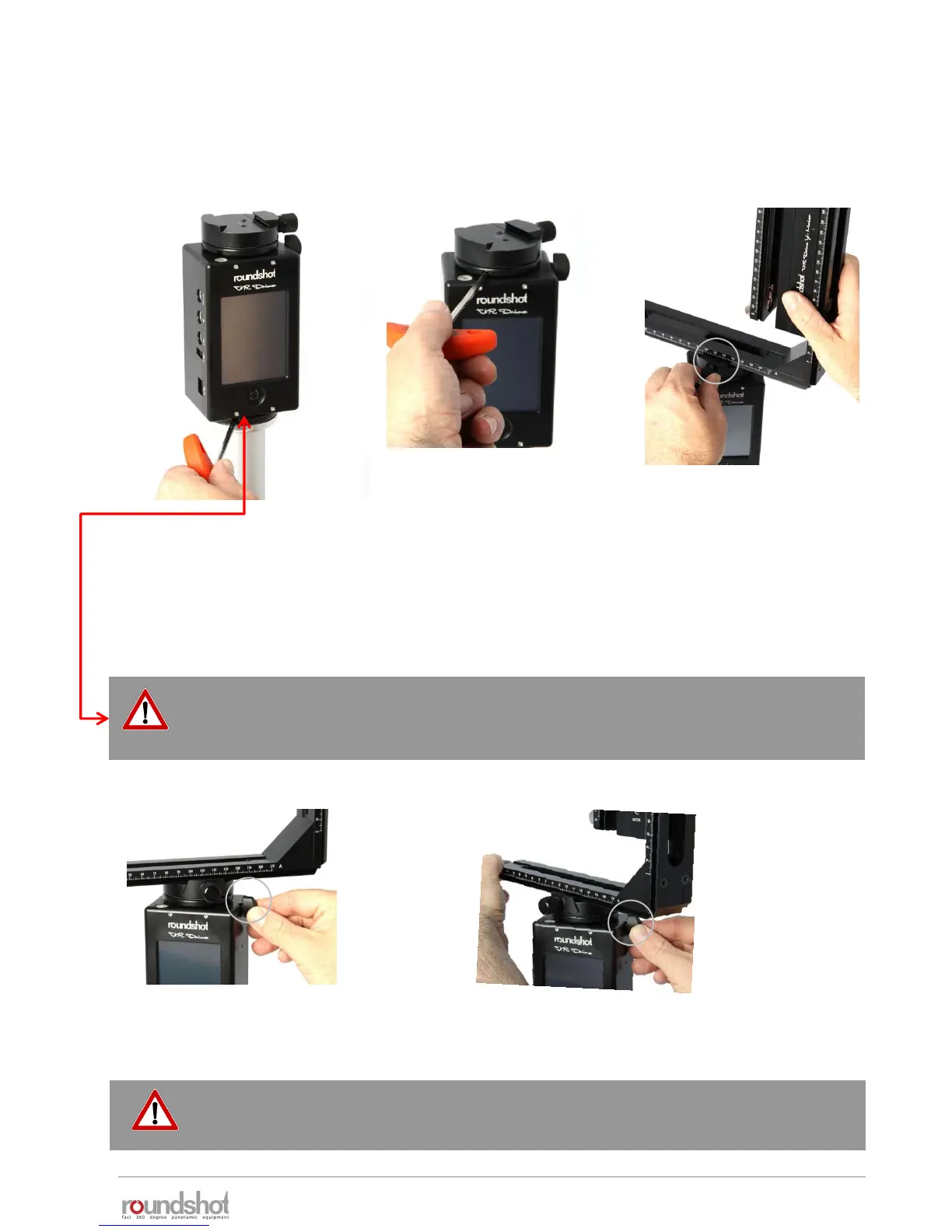
Assemble your VR Drive “full” in the following way:
Open the quick adaptor release
and turn the VR bracket in position.
Place the VR Drive x-motor on
a tripod with a large (3/8’’)
thread. When using a tripod
with small thread (1/4’’) use
an adaptor ring inside the VR
Drive motor base.
When the VR Drive locks up
very tightly on the tripod, it
can be released with the
allen key
Slide the VR bracket with
attached y-motor into the
quick adaptor and close
the quick adaptor lock
tightly.
Close the quick adaptor release
tightly.
2.1.1 Roundshot VR Drive “full”
To avoid damage to the VR Drive gears we recommend that you attach the VR
Drive gently by hand and then lock it using the allen key. The same is true when
removing the VR Drive from the tripod.
Do not turn the VR bracket, when the quick adaptor is locked. Due to the high
leverage the VR Drive motor and the gears can be damaged.



 To Next Page