23/05/2019Roundshot VR Drive Instruction Manual – Firmware Version 2.023 127
6.7 Using the VR Drive light meter
One of the most critical parameter when using the VR Drive is the camera exposure. Usually it is set
manually on the camera, but it is also possible to use the VR Drive light meter for a fully automatic
process.
The VR Drive light meter is able to measure the light before starting the image taking. Then,
according to the selected strategy and options, the VR Drive will set the correct exposure time,
ISO/ASA and aperture on the camera. The image taking process will then start automatically.
This way there is no need to adjust manually the exposure on the camera or change the HDR
reference exposure time before every project.
With the VR Drive light meter sensor it is necessary to use a camera compatible with
VR Drive USB control. Please make sure your camera is marked as compatible in the
camera compatibility list on our website.
The automatic exposure function is only available in quality and HDR modes. Speed
mode is not compatible with this functionality because in this mode the images are
triggered with the standard release cable rather than USB.
Hardware Setup
• Connect the camera and the VR Drive with a USB cable.
• Set your camera in Manual mode. The VR Drive will set all exposure, ISO and aperture parameters
using the USB connection
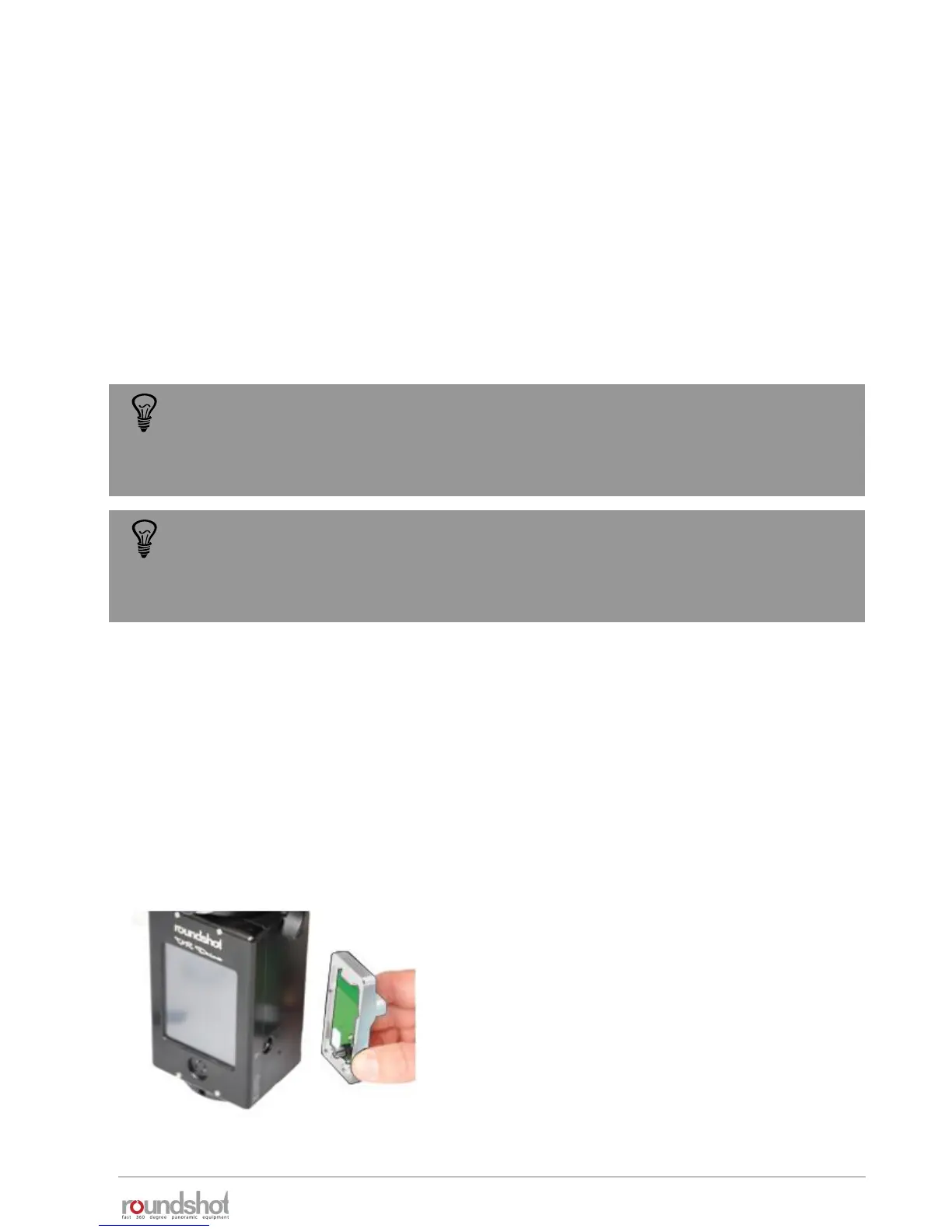
• Connect the light meter sensor on the VR Drive antenna socket. And fix the 2 corresponding
screws



 To Next Page