23/05/2019Roundshot VR Drive Instruction Manual – Firmware Version 2.023 124
6.5 Creation of object movies
Creating an object movie using the VR Drive for capturing the images is very simple and allows
perfect positioning of the object. The system is totally automated from object rotation to image
capture, which allows to optimise all parameters of the object movie. You can find below some
recommendations for setting-up your system in turntable mode and for compiling the images
into an object video.
Hardware Setup
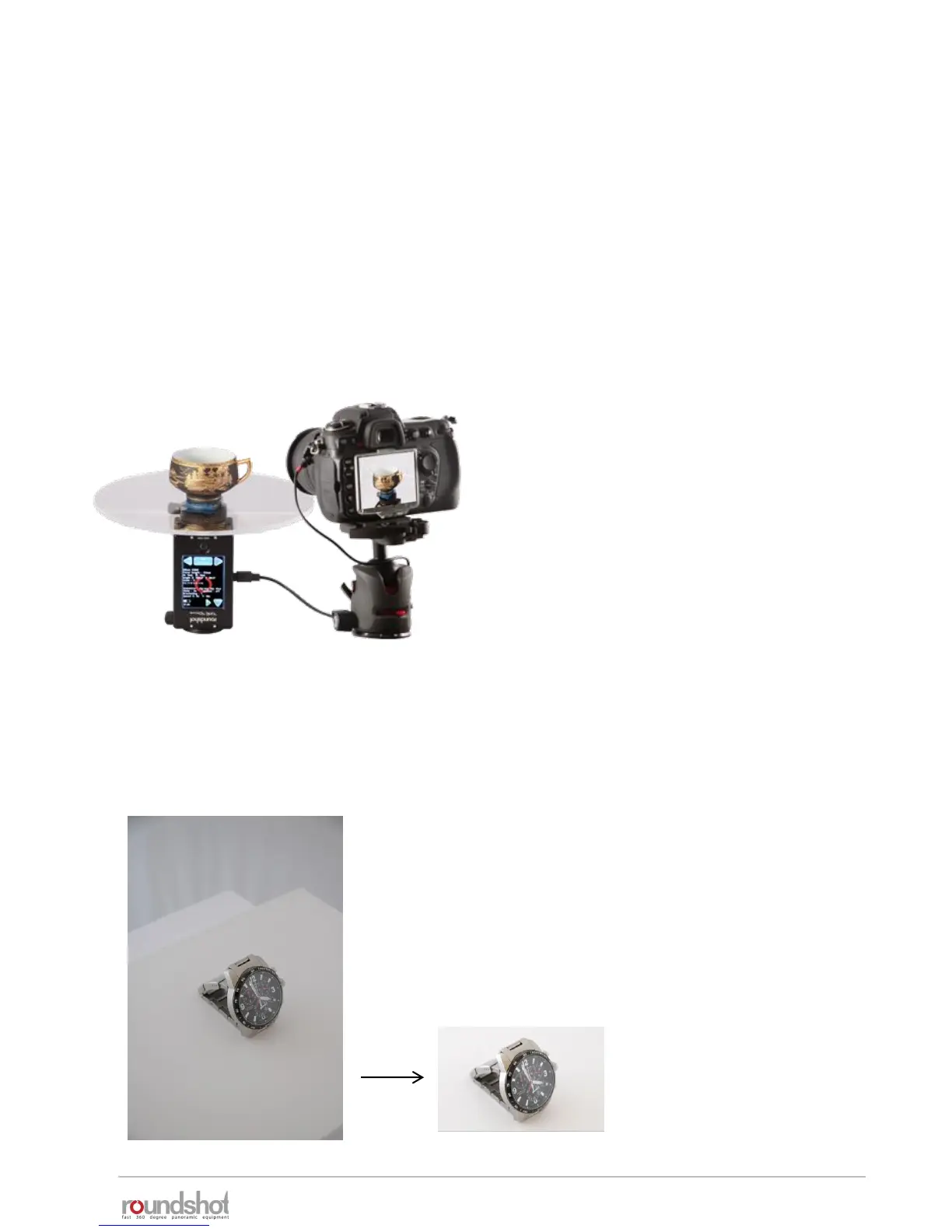
The hardware setup in turntable mode is very different from the other modes as the camera is
not attached to the VR Drive. These are few recommendations when setting up your system:
• Make sure to rotate the VR Drive X-motor upside-
down. This prevents the cables from any damage
as the turntable will be the only rotating element
in this configuration
• Make sure that the object is not exceeding 20 kg
and place it in the center of the turntable
• Place the system in a light controlled
environment (studio). this will avoid color
mismatch in the final object movie
• Use an all white background around the object. It
is for example recommended to cover the
turntable with a white reflective material. This
will help to batch process the object extraction on
every image
Object movie generation workflow
• The first step in the object movie creation is to process the
images for getting a perfect representation of the object. If
the light conditions and the background are correctly set, it
is possible to batch process the image adjustment in
Photoshop to gain speed and consistency.



 To Next Page