23/05/2019Roundshot VR Drive Instruction Manual – Firmware Version 2.023 34
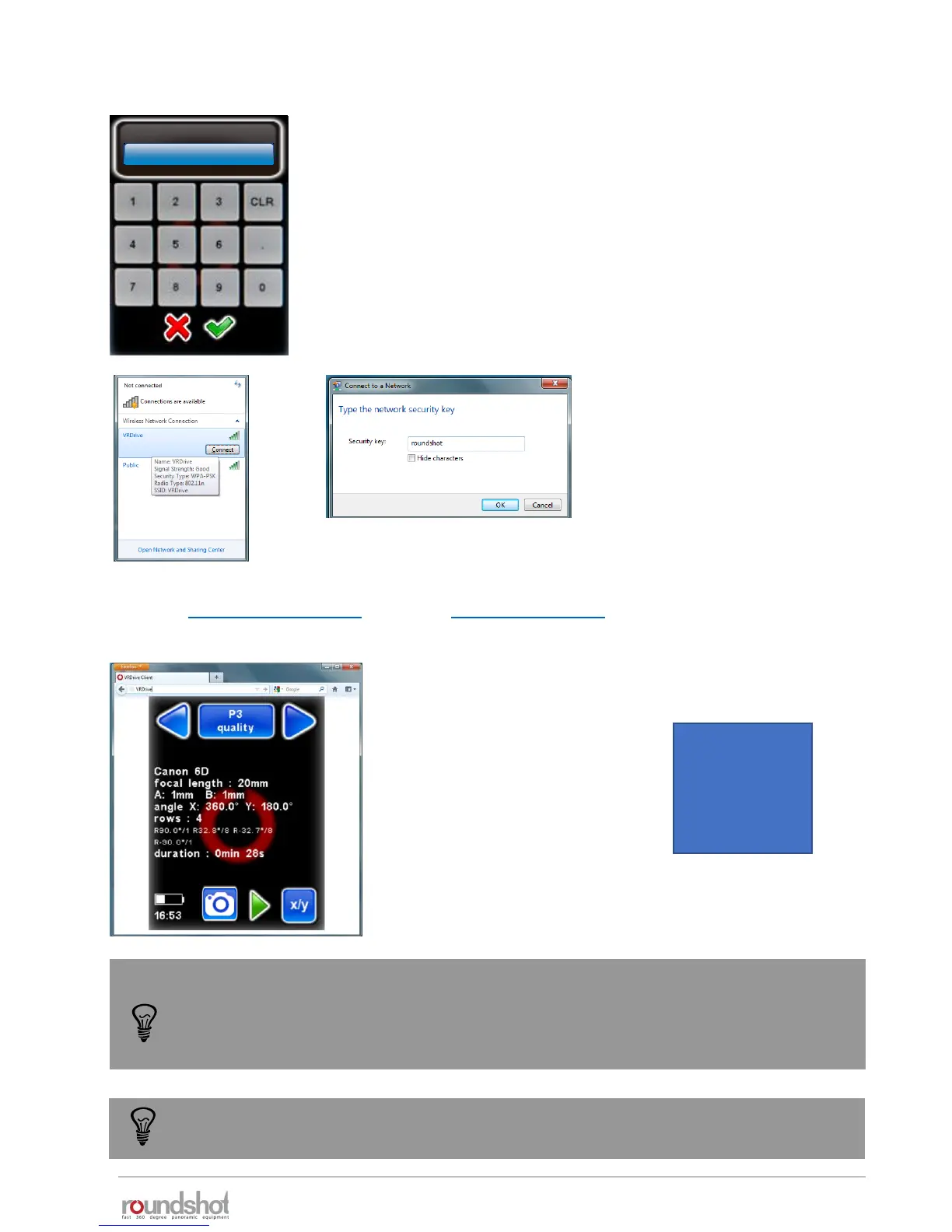
As a first step assign the following fixed IP to the VR Drive in
edit/settings/software/IP:
192.168.169.15 (HAME router) or
192.168.1.15 (YoYo router)
This second step is to connect to the VR Drive Wireless network and
type the password. By default the password is
roundshot
Then you can open any web browser from a smart phone or computer with wifi and type in
the URL : http://192.168.169.15 (HAME) or http://192.168.1.15 (YoYo). You can see now the
same screen content as on the VR Drive main unit and all functionalities are identical.
The default IPs can be changed, for example to adapt them to a different network. To
do this, access the router software by opening a browser window with the IP
192.168.169.2 (HAME) or 192.168.1.2 (YoYo) and change the IP range in the router.
Adapt the IPs in the VR Drive and in the Browser window.
Summary of default IPs:
HAME router YoYo router
Router: 192.168.169.2 192.168.1.2
VR Drive: 192.168.169.15 192.168.1.15
Browser: 192.168.169.15 192.168.1.15
iP
10.0.0.415
192.168.169.15
This VR Drive wifi screen transmission works only with software versions 2.12 or
higher. For older software versions please upgrade the software first.
2.1.6 wifi router for remote control (continued)



 To Next Page