PROGRAMMING ALPHANUMERIC DESCRIPTIONS
General Information: When programming the alpha descriptions for D epartments, PLUs, Clerks and the Store Name/Logo
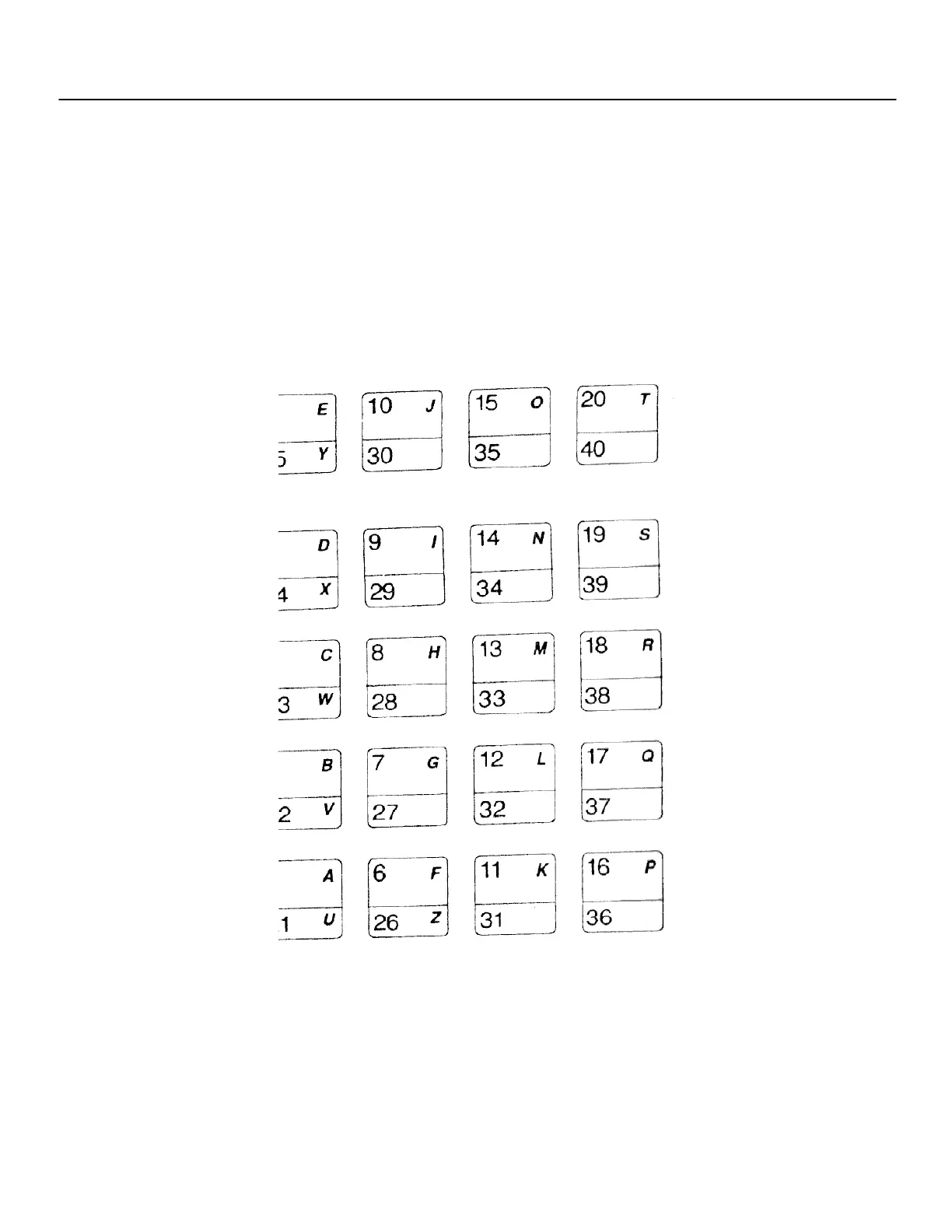
Message and Commercial Messages, it is recommended to use the Alpha keyboard (shown below). The department keys
are clearly labeled with all the letters needed to program these descriptions. So, when you are programming alpha
descriptions, simply use the department keys to spell out the words you require. Please note that the letters in the lower
green section of the keys are accessed by first pressing the [DEPT SHIFT] key. You may requi re certain symbols or lower
case characters that are not found on the Alpha Keyboard. For example, if you r equire a space between words, or if you
require the "/" symbol, or "-", you will need to refer to the Alphanumeric Code Chart shown on the next page.
PLEASE NOTE: Only capital letters of the alphabet are on the Alpha Keyboard.
ALPHA KEYBOARD
(Programming Alphanumeric Descriptions are continued on the next page)
42



 To Next Page