(Continued) PROGRAMMING ALPHANUMERIC DESCRIPTIONS
The following outlines the maximum number of characters that can be programmed for each item description.
DEPARTMENT
PLU
CLERK NAME
STORE LOGO/HEADER
COMMERCIAL MESSAGE
-
-
-
-
-
12 Characters *
12 Characters *
12 Characters *
5 Lines (24 Characters* each)
5 Lines (24 Characters* each)
* Standard size characters. For Double Width, see below.
Please Note: The instructions for programming Department Descriptions is on Pages 25-28.
The instructions for programming PLU Descriptions is on Pages 35-36.
The instructions for programming Clerk Descriptions is on Page 19.
The instructions for programming Commercial Messages is on Page 47.
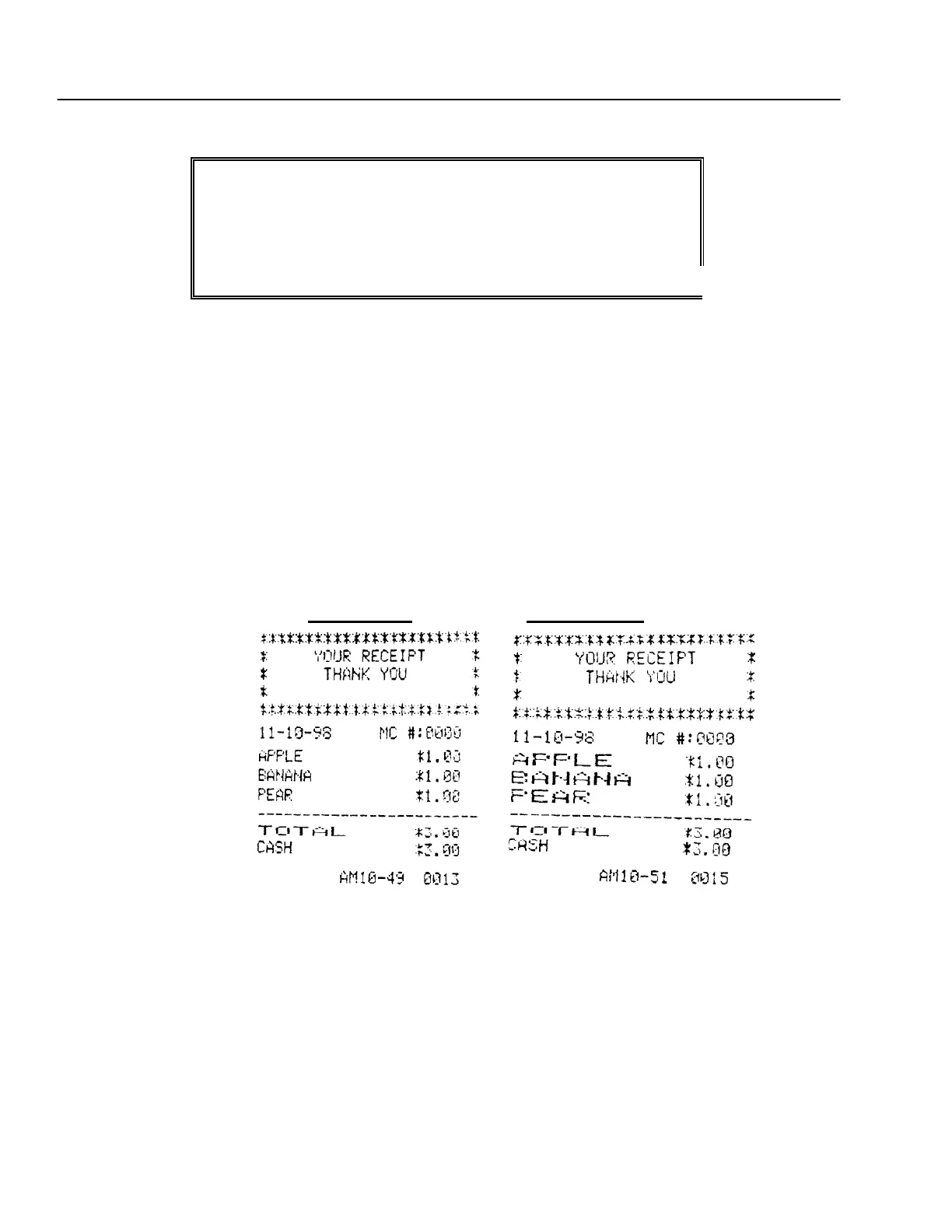
WIDE CHARACTERS
For extra emphasis, you can program extra wide (double width) for each character.
If using double width characters, the maximum number of charac ters is reduced by half. For example, Departments would
normally use 12 characters, for double width, the maximum is 6 characters; PLUs would nor mally use 12 characters, for
double width, the maximum is 6 characters.
To make a character print extra wide, the double width code of "01" must be used before each character.
Normal Size Double Width
PROGRAM STORE LOGO/COMMERCIAL MESSAGE
A 5 line store header can be programmed to print on customer receipts. The header can be a maximum of 5 lines, each line
24 characters (normal size) or 12 characters (double width).
┌────────────────────────┐
│******************** ─┼────────── 1st line
│* YOUR RECEIPT * ─┼────────── 2nd line
"Your Receipt Thank You" ───────┤ * THANK YOU * ─┼────────── 3rd line
is the default printout │ * * ─┼────────── 4th line
for the header │ ******************** ─┼────────── 5th line
└────────────────────────┘
Make a copy of the attached blank Store Logo Worksheet for future changes or revisions to your logo.
44



 To Next Page