17
Alpha5000ML owner’s manual
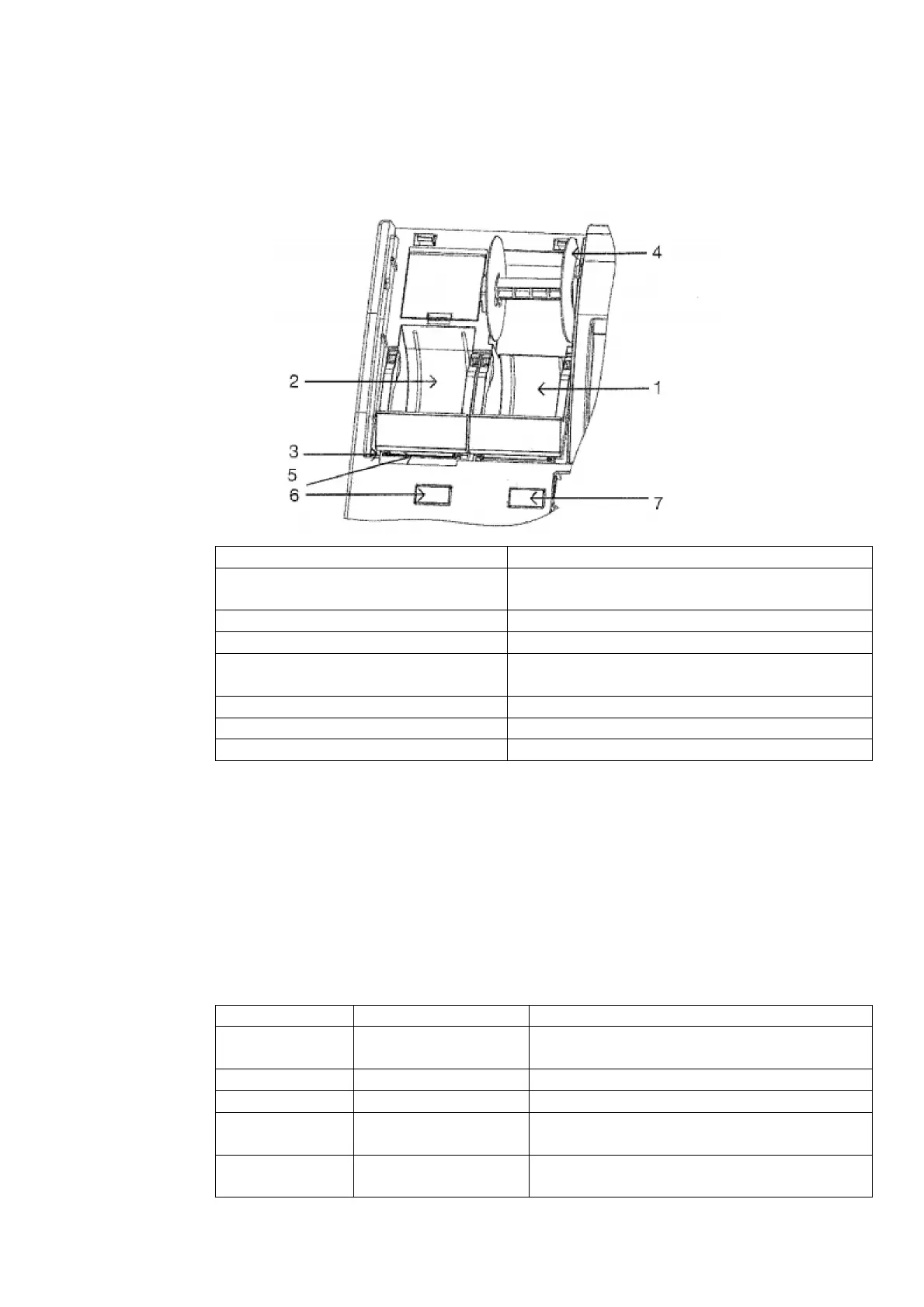
Printer Compartment
Once the printer cover is removed, the printer compartment can be accessed. This
compartment houses both printers, as well as the battery compartment. A breakdown
of the different parts is shown below:
The paper roll for record keeping (the journal) is
located here.
The paper roll for receipts is located here.
Prints the characters on the receipt and journal.
Used to take up the paper roll used for record
keeping (the journal).
Used to release the platen for receipt.
Platen Release Button (Journal)
Used to release the platen for journal
Control Lock
The control lock is used to change the cash register modes. Your register is equipped
with five modes which are used to perform the many different functions available.
The cash register is always in one of these five modes for any operation. To change
modes, use the manager’s key (marked with “MA”) and the operator’s key (marked
with OP) which came with the cash register. For security purposes, only the manager
key will allow access to the Programming, X, and Z modes. The operator key allows
access to only the OFF and Register modes. A breakdown of each mode and its
function is shown below:
Used to adjust the settings and program the
cash register
Used to temporarily lock the cash register
Used to process sales transactions.
Used to read/ print reports without cle
the memory.
Used to print/ reset reports and clear the
memory.



 To Next Page