81
Alpha5000ML owner’s manual
The Cash Register Does Not Work at All
If the cash register does not respond except with an error:
Make sure you are not in the middle of a sales transaction.
• Enter a price, press a department key, and press the enter key to end the sale.
Now continue with what you were trying to do.
The Cash Register Does Not Work at All
1 Be sure the cash register is plugged into a working electrical outlet and no
other electrical device is using the same power source. Another electrical motor
on the same circuit can keep the cash register from working properly.
• If error still persists, perform a Half System Clear procedure. See Half
System Clear.
• If the Half System Clear did not work, perform a Partial Reset. See
Partial Reset.
• As a last resort, perform a Full System Clear procedure. See Full
System Clear.
2 If needed, contact the Royal Customer Support hotline at
1-800-272-6229 for additional help.
Opening the Drawer When There is no Power
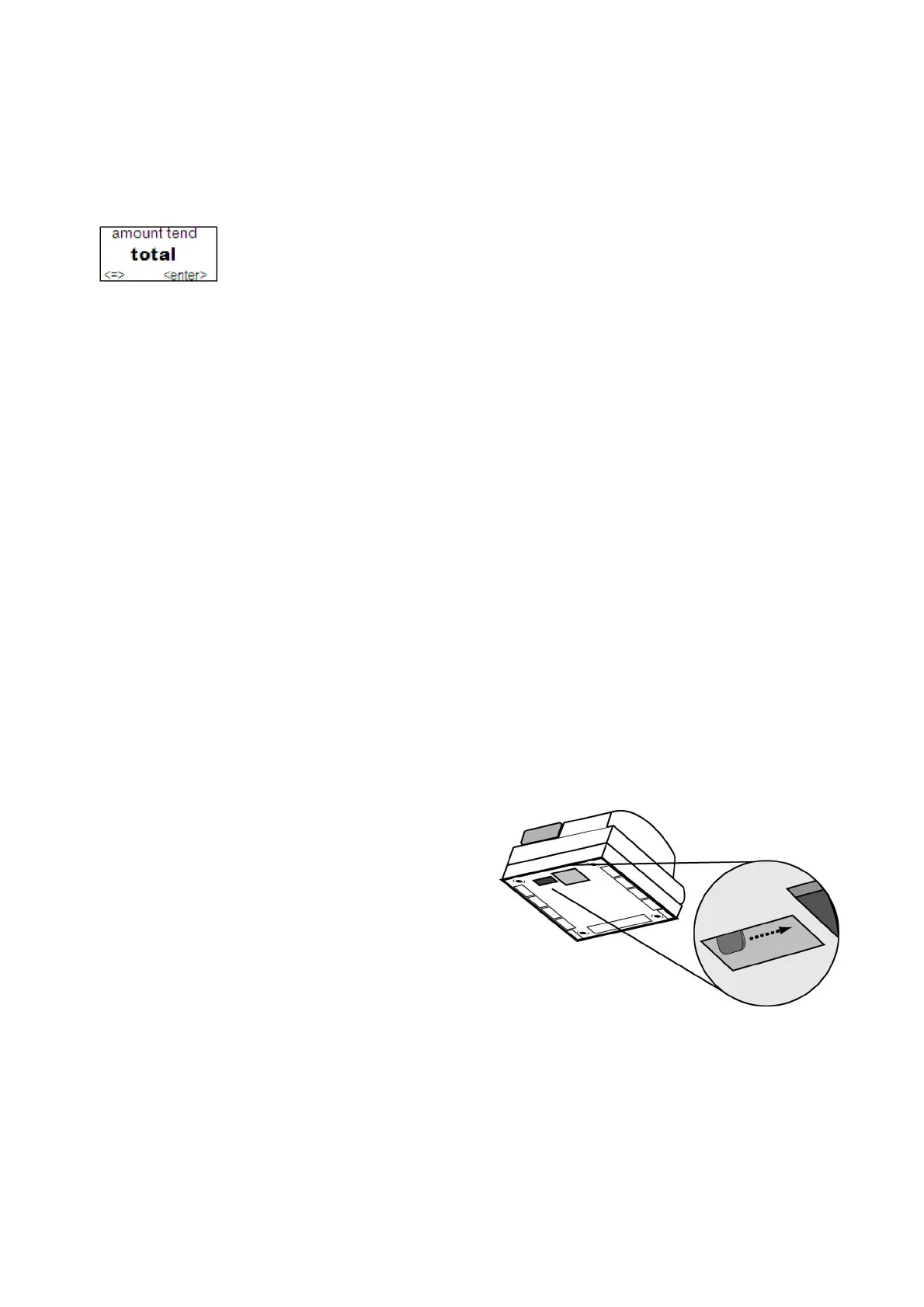
If there is no power and you need to open the drawer, follow these
instructions.
1 With your hands on the cash
drawer, carefully tip the front of
the register up. Underneath the
cash register, toward the back of
the register, you see a small
lever.
2 Push the lever in the only
direction it will move. The cash
drawer opens.



 To Next Page