Alpha5000ML owner’s manual 18
About the Displays
The Alpha5000ML cash register is equipped with a large 4-line LCD clerk display
and a 1-line customer display. Each display will be further explained below:
Clerk Display
Your Alpha5000ML cash register has a 4 line display which is used to program
and operate the register. On this display you will see the sales details, the
programming options and more. Below are the pictures of the clerk display screen
(in PROG and REG mode)
While operating the register, the display will show text that will help you
accomplish many of the different tasks necessary to use the cash register. Use the
keyboard to navigate through the display and enter any options. If you have
trouble with a particular function, see its listing in this manual for guidance.
Customer Display
The Alpha5000ML has a 1-line numeric customer display which can be rotated to
many different angles. This display allows the customers to follow along during a
transaction. A total of 8 characters (7 letters) can be displayed on the customer
display at any time.
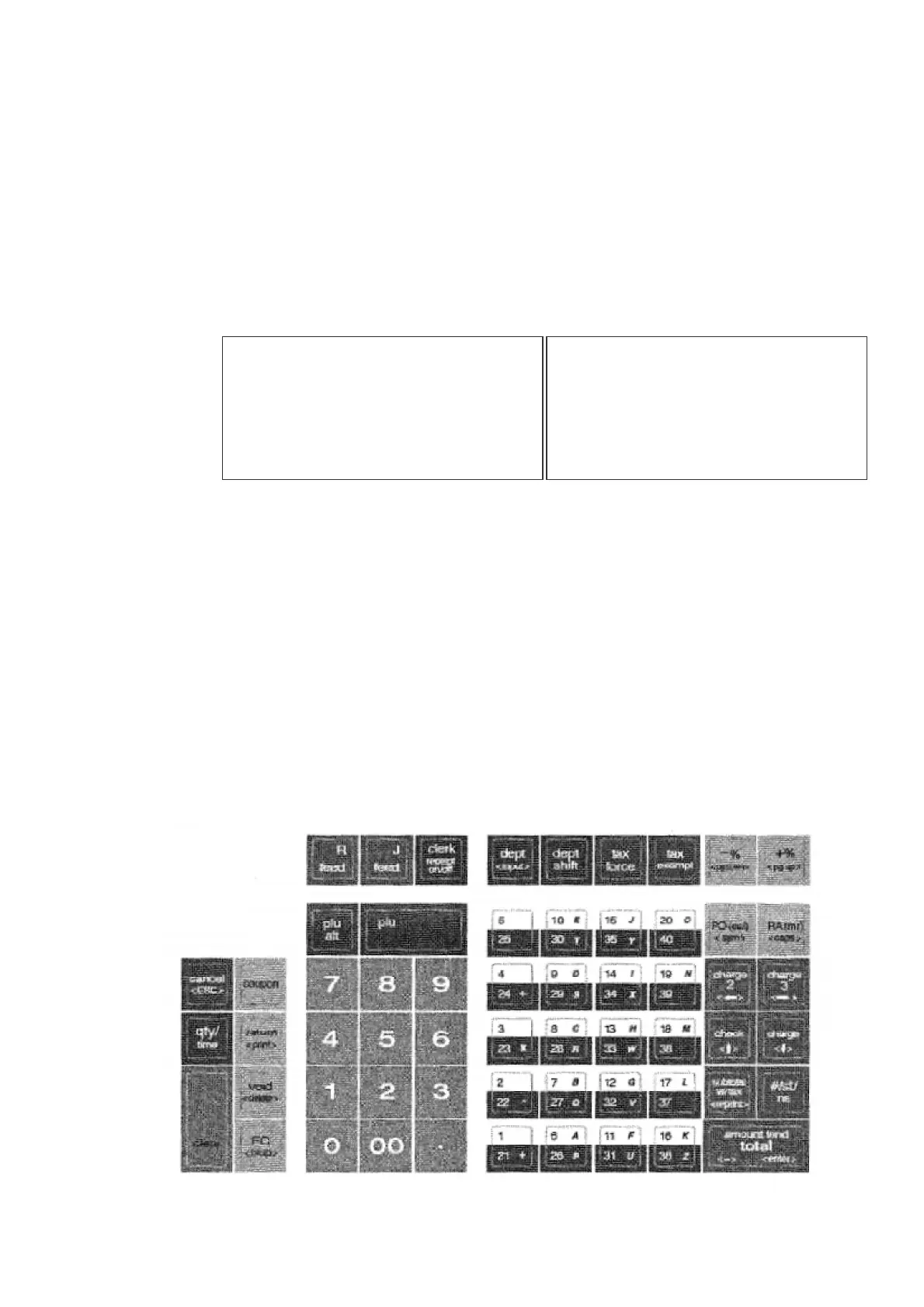
Using the Keyboard
The keyboard on your cash register looks like the following:
= = = PROGRAM SETTING= = =01
DEPARTMENT SETTING
PLU SETTING
CLERK SETTING
INPUT ITEM/[ESC] TO
MAIN MENU (ON)
04-10-2011 18:34:53



 To Next Page