95
Alpha5000ML owner’s manual
Error-Correct a PLU Sale with a Plus Percentage Rate
Example 25: Assume PLU #1 is preset for the price of $1.00 in Department
1and the 2% is pre-programmed for 10%. Void a sale for PLU #1 and add a
10% add-on amount.
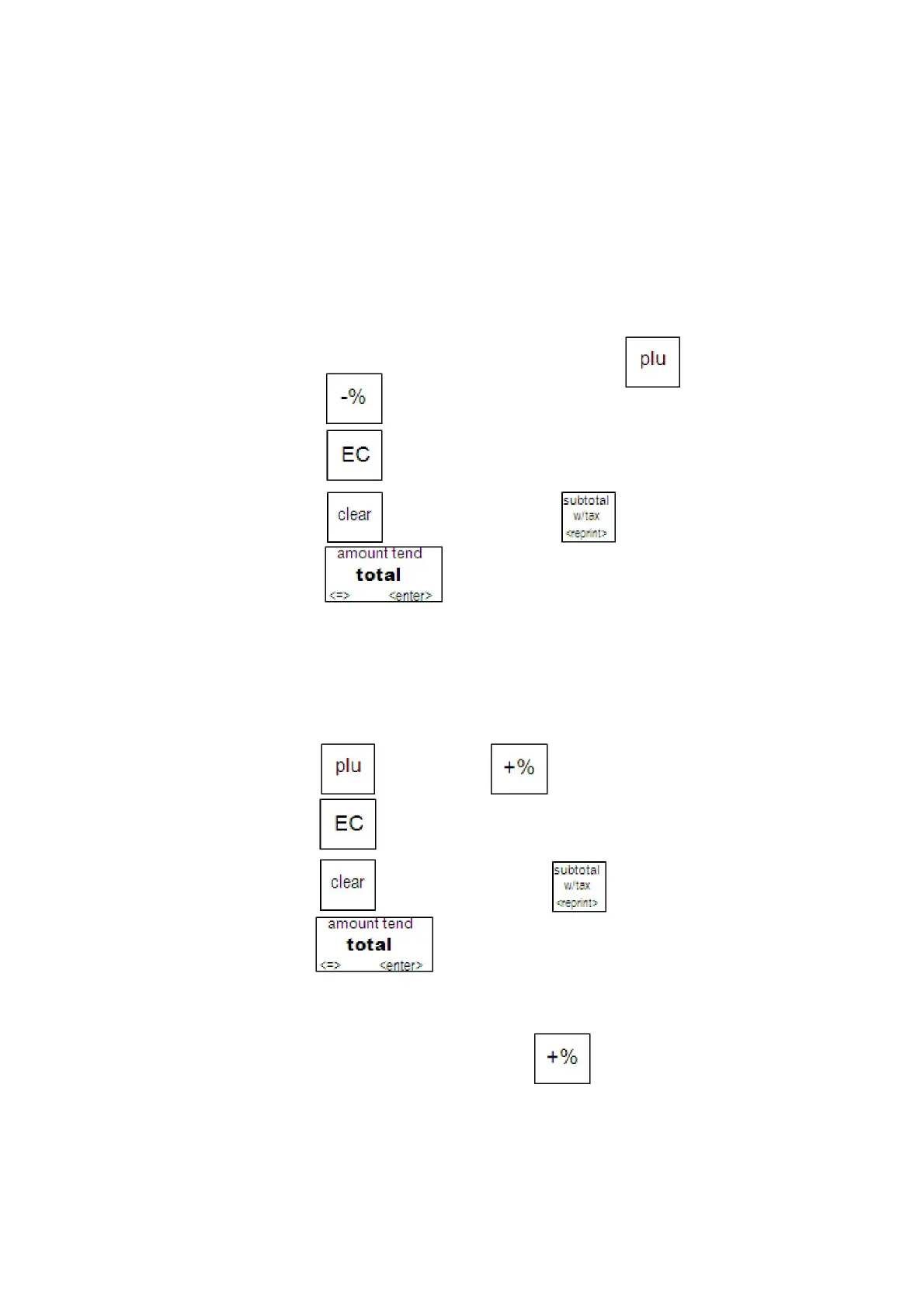
To void a PLU sale with a plus percentage rate
1 In the Number keys area, press 1, and then press key
2 Press the key and Select 1%
Press the key.
Press the key and then press the key.
5 Press the key.
Error-Correct a Plus Percentage Sale
Example 26: Void a $1.00 item in Department 1 and void a pre-programmed
Plus Percentage Rate of 10% for 2%.
To void a plus percentage sale
1 Press the key. Press the key and Select 2%
2 Press the key.
3 Press the key and then press the key.
4 Press the key.
Note
If the Plus Percentage rate is NOT pre-programmed, type in the Plus
Percentage Rate before pressing the key. Applies only for 1%



 To Next Page