33
Installing the Wireless Bridge
Physical Installation
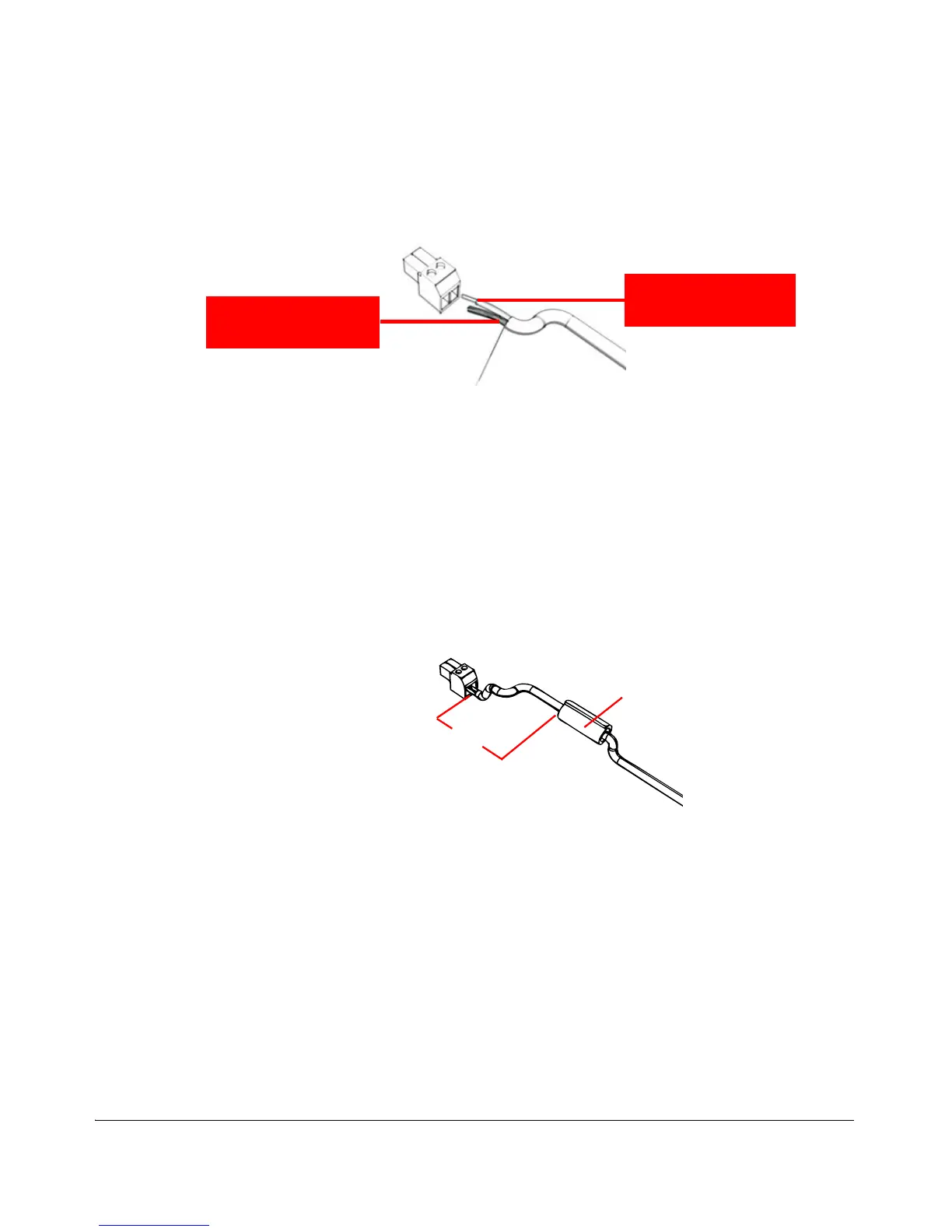
Figure 27. Connect the ground wire to the V- terminal and the +12V DC wire to
the V+ terminal
4. Using a 3mm Phillips screw, tighten the wiring terminal screws. Screw torque value
must be 20.5 mN-m ± 2 mN-m.
5. Take out one of the 20mm x 30mm sealing strips from the accessories bag.
6. Remove the adhesive backing from the sealing strip.
7. Wrap the sealing strip around the DC cable, about 60mm from the DC terminal
block.
Figure 28. Wrap the sealing strip around the DC cable, 60mm from the DC
terminal block
8. Connect the DC terminal block to the 12V DC port on the Wireless Bridge.
9. Place the DC cable into the right cable groove on the enclosure, and then press
it into position. Make sure the sealing strip protrudes beyond the entry and exit
points.
10.Wrap the white P-clip cable clamp around the DC cable, and then fasten it to the
Wireless Bridge chassis using one of the short machine screws supplied with the
Wireless Bridge.



 To Next Page