1. Prepare the electrical outlet box.
2. The 7055 can be mounted to a variety of commonly used electrical outlet box formats,
including US style outlet boxes conforming to NEMA-WD6, and EU style outlet boxes
conforming to BS 4662.
NOTE The 7055 comes with a bracket for a single 1-gang electrical outlet box. For
adjacent outlet boxes, use the optional Ruckus Wireless ZF7055 adjacent wall bracket
kit (part number 902-0111-000).
• Remove the outlet box cover from the outlet box, retaining the original box cover
screws.
• Align the mounting bracket with the outlet box so that the screw holes line up (the
bracket provides multiple holes for different outlet box designs), and
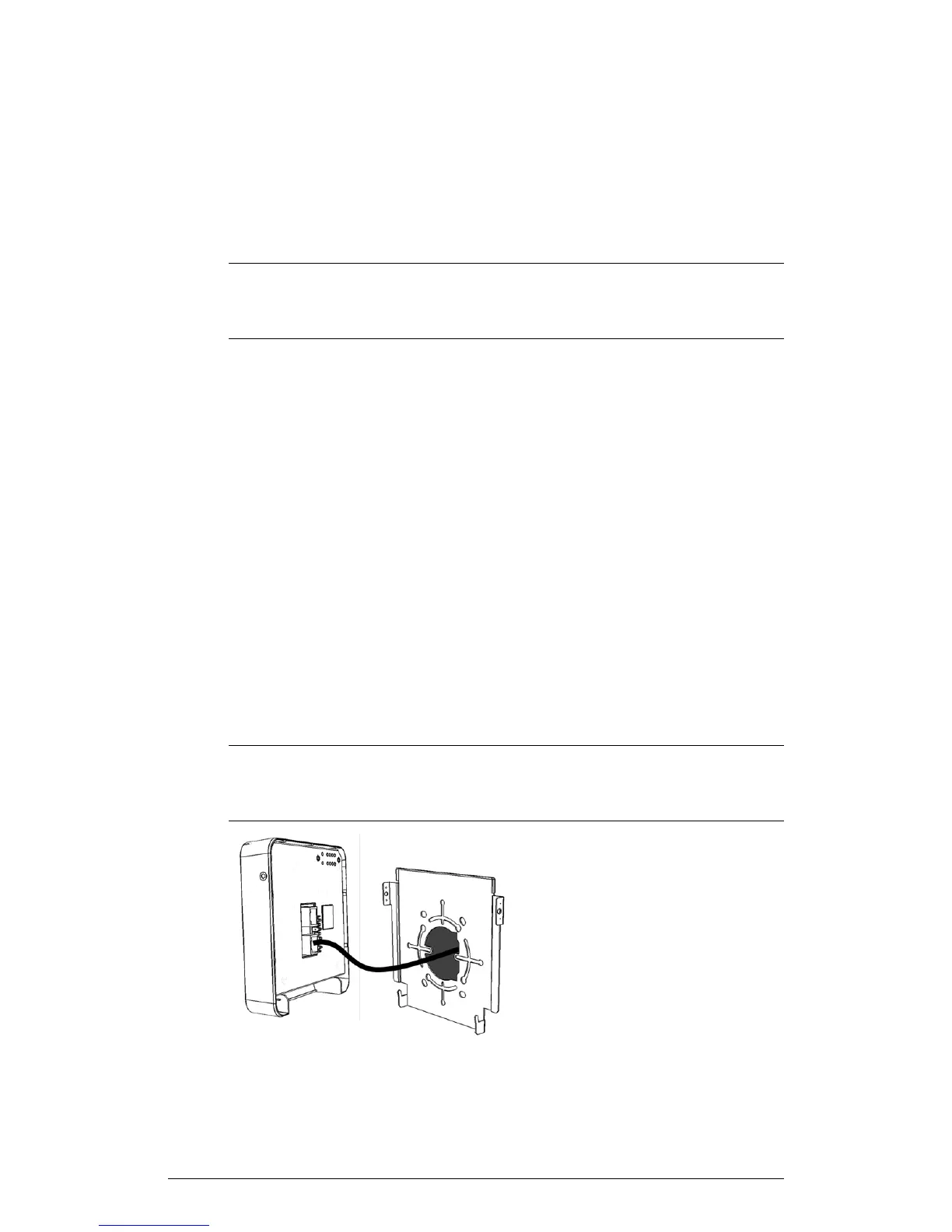
• Pull the Ethernet cable through the center of the mounting bracket.
• Affix the mounting bracket to the outlet box using the original outlet box cover
screws. If the original outlet box screw heads extend over 2mm from the bracket,
then use the enclosed low profile mounting screws instead.
• Run the required cables through the electrical outlet box allowing sufficient slack
for the cables to reach the not yet installed 7055.
3. Connect the cables.
• Connect an Ethernet cable providing PoE power and network connectivity to the
PoE In LAN / Uplink port using either a standard RJ45 connector or the 110
punch-down block (refer to Using the 110 Punch Down Block on page 16).
• If PoE power is not available, the AP can be powered using an optional DC power
adapter (Ruckus part No. 902-0170-XX10, sold separately)
• If required, connect the cable providing support for pass-through devices to the
Pass Through port.
NOTE The status LEDs are intentionally not visible once the 7055 is mounted.
Complete any verification or troubleshooting that requires visibility of the LEDs before
mounting.
ZoneFlex Indoor Access Point Release 104.0 User Guide
15
Introduction
Getting to Know the AP Features











 To Next Page