Configure the Wireless Settings
To complete this step, configure the settings on the Common tab and at least one
Wireless # (WLAN Number) tab.
Configuring Common Wireless Settings
These are the essential wireless settings that enable wireless devices on the network to
associate with the AP.
For your reference, the default wireless settings for the WLANs are listed in the following
table.
Table 39: Default WLAN wireless settings
Default ValueSetting
Wireless 1 to Wireless 8 (2.4 GHz Radio)
Wireless 9 to Wireless 16 (5 GHz Radio -
only available on dual radio APs)
SSID (network name)
Disabled on all WLANsEncryption (security)
192.168.0.1Default management IP address
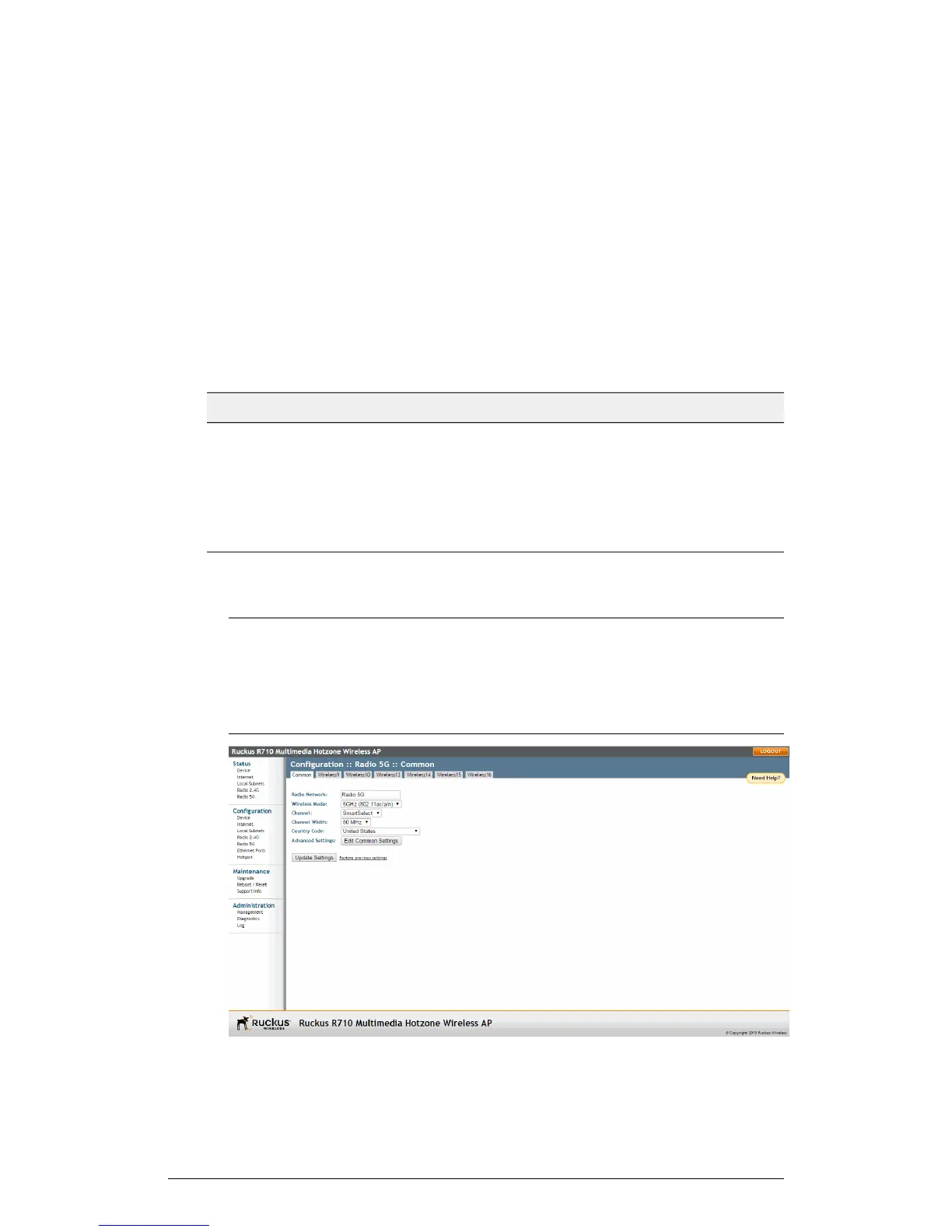
1. On the left menu of the web interface, click Configuration > Wireless (Radio 2.4G
or Radio 5G on dual-band APs). The Configuration > Common page appears.
NOTE For dual-band APs (7055, 7372, 7982, H500, R300, R310, R500, R510,
R600, R700 and R710), the two radios (2.4GHz and 5GHz) need to be configured
separately on the web interface. To configure the common wireless settings, click
Configuration > Radio 2.4G or Configuration > Radio 5G. The rest of the
configuration procedures are the same as for single-band models.
ZoneFlex Indoor Access Point Release 104.0 User Guide
79
Installation
Step 1: Preconfiguring the AP











 To Next Page