CompTrol Interface V4.0.x | Issue 21-05-2021 | 1000932 31
Program 0 – temperature setpoint denition via analog signal
7 Program 0 – temperaturesetpointdenitionviaanalogsignal
7.1 Description
The temperature setpoint of the indoor unit can be adjusted via an analog signal from an external
controller. The setpoint is adjusted in +/- 0.5°K increments (see “Table 15: Value table for program
0 temperature setpoint” on page 34).
The functions of automatic fan speed control, forced mode, and inversion of digital outputs can
optionally be used.
In addition, the digital inputs can be used to switch on the Cooling, Heating, or Fan modes and to
adjust the fan speed. The indoor unit can be switched on or o using remote ON/OFF.
The operating, heating, compressor, and defrost status signals are emitted via the digital outputs.
In the event of a system error, an alarm signal is emitted via a digital output.
7.2 ConguringtheCompTrolInterfaceforprogram 0
Note
●
Only set DIP switches when they are disconnected from the electrical supply. Changed set-
tings only reliably become eective after a system restart. An exception here are DIP switches
S2-7 and S2-8, which govern the behavior of the 7-segment display. These DIP switches for
display behavior can also be set during ongoing operation.
●
When reading the current DIP switch positions, bear in mind the horizontal installation posi-
tion of the CompTrol Interface! The ON switch setting is the one closest to the center of the
expansion module.
●
Set inoperative DIP switches to OFF.
7.2.1 Connection diagram for program 0
Note
Pay attention to the information on installation and start-up (see “17 Installing the CompTrol Inter-
face expansion module” on page 95).
Procedure
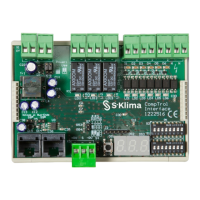
1. Connect the CompTrol Interface as shown in the connection diagram below.


 To Next Page