88 CompTrol Interface V4.0.x | Issue 21-05-2021 | 1000932
Program 10 – direct frequency request with the CompTrol Master
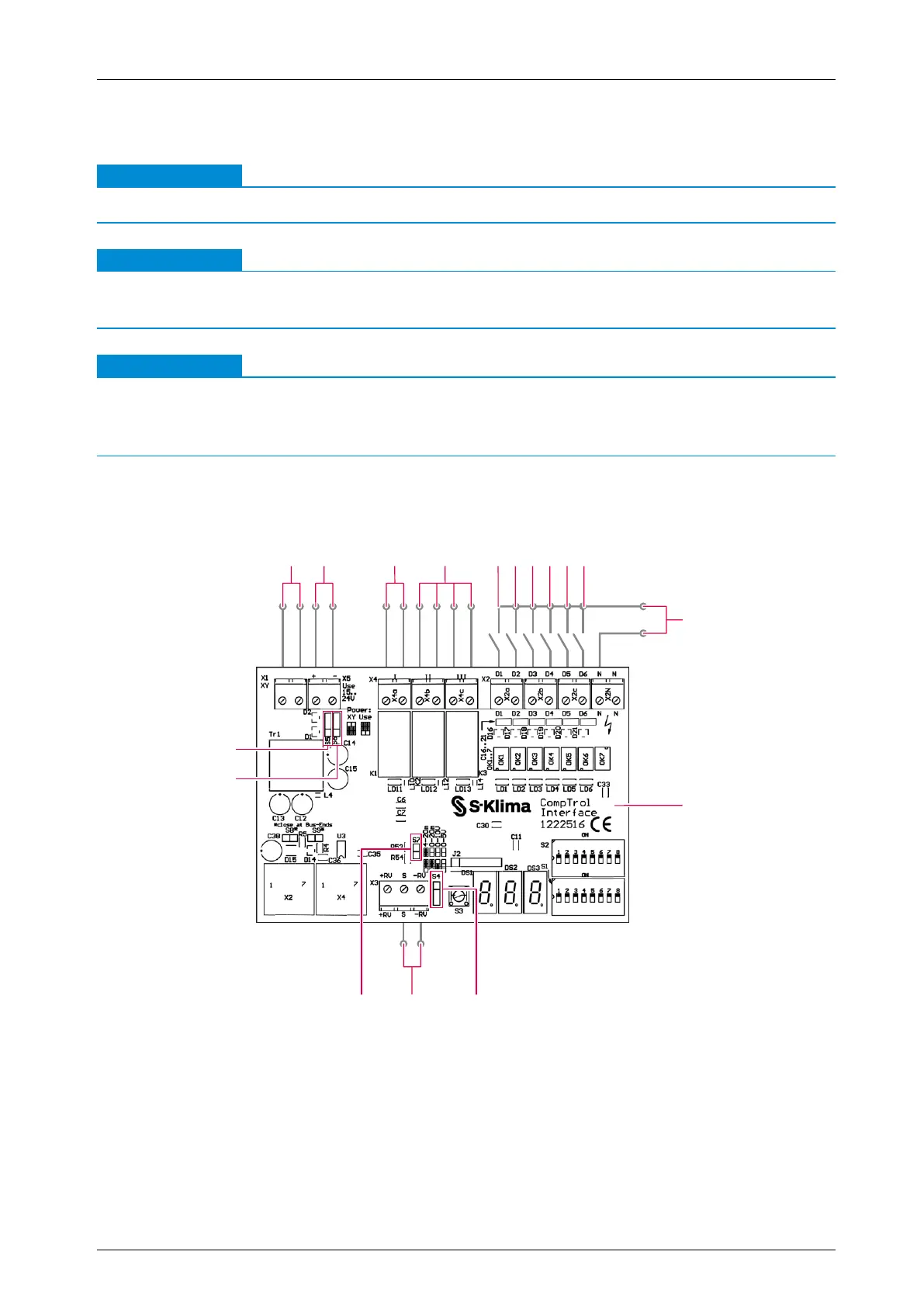
16.2.1 Connection diagram for program 10
Note
●
Program 10 is available with CompTrol Interface V4.0.3 or higher.
Note
●
Pay attention to the information on installation and start-up (see “17 Installing the CompTrol
Interface expansion module” on page 95).
Note
Possible damage to the CompTrol Interface from compensating currents.
●
Make sure that the CompTrol Master is connected to an external electrical supply (24 V DC,
see “Figure 20: Connection diagram for program 10” on page 88).
Procedure
1. Connect the CompTrol Interface as shown in the connection diagram below.
14
12
1 2 3 4 1098765
11
1315
16
17
Figure 20: Connection diagram for program 10


 To Next Page