CompTrol Interface V4.0.x | Issue 21-05-2021 | 1000932 89
Program 10 – direct frequency request with the CompTrol Master
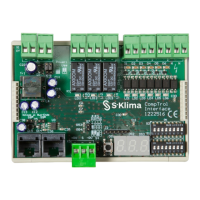
No. Name No. Name
1 X/Y remote control bus 2
External electrical supply (see “Table 5: Type
of electrical supply” on page 17)
3
Digital outputs X4a-I
Alarm signal
4
Digital outputs X4b-II, X4c-III
(see “Table 71: Digital outputs in program
10” on page 94)
5
Digital input X2a-D1 remote ON/OFF
(terminal is inactive in program 10) 6
Digital input X2a-D2 Cooling/Heating mode
(terminal is inactive in program 10)
7
Digital input X2b-D3 Center/
Center-Remote
(terminal is inactive in program 10)
8
Digital input X2b-D4 evaluate analog
input
(terminal is inactive in program 10)
9
Digital input X2c-D5
fan speed F1; D5+D6 fan speed F3 (terminal
is inactive in program 10)
10
Digital input X2c-D6
fan speed F2; D5+D6 fan speed F3 (terminal
is inactive in program 10)
11
Input voltage 24-230 V AC / 20-130 V DC
(terminal is inactive in program 10)
12 CompTrol Interface expansion module
13
Pin header S4 for setting the analog signal
type (analog input X3)
(terminal is inactive in program 10)
14
Analog input X3-S, X3-(-RV)
(terminal is inactive in program 10)
15
Pin header S7 for setting the analog signal
type (analog input X3)
(terminal is inactive in program 10)
16
Pin header S6 for setting the electrical
supply
(see “Table 5: Type of electrical supply” on
page 18)
17
Pin header S5 for setting the electrical
supply
(see “Table 5: Type of electrical supply” on
page 18)
- -
16.2.2 Connection diagram: Connecting CompTrol Interfaces to the CompTrol Master
Procedure
1. Connect two to ve CompTrol Interfaces to the CompTrol Master as shown in the following
connection diagram.
Note
●
For installing, connecting, and wiring CompTrol Interfaces in combination with a CompTrol
Master for program 10, see the CompTrol Master Technical Manual. Program 10 is available
with CompTrol Interface V4.0.3 or higher.


 To Next Page