EasyManua.ls Logo

S-Klima CompTrol - User Manual

S-Klima CompTrol
126 pages
Print Icon
To Next Page IconTo Next Page
Loading...
Technical Manual
Translation of the original manual
Read carefully before use!
Keep for later reference!
Issue 21-05-2021 – 1000932 English
Version 31-03-2023
Version V4.0.x and higher
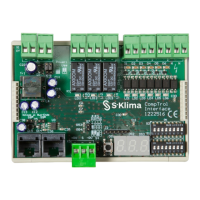
CompTrol Interface
Support app from S-Klima – easy troubleshooting via smartphone
• Extensive error code analysis – even o󰀪ine
• Refrigerant calculator for start-up and relling
• QR code scanner for reading out unit data
• Request a call back from Customer Support
The app can be downloaded free from the Apple App Store, Google Play or Microsoft Store.

Table of Contents

Question and Answer IconNeed help?

Do you have a question about the S-Klima CompTrol and is the answer not in the manual?

Summary

Document Introduction and Safety

About this Document

Defines the manual's scope, intended audience, and presentation conventions.

Safety Instructions and Proper Use

Details essential safety guidelines, intended usage, and personnel qualifications.

Product Overview and Functions

Product Description and Connections

Explains hardware features, electrical supply, communication, and I/O terminals.

Core Functions of the CompTrol Interface

Describes analog/digital input functions, special features, and status signals.

Program 0: Analog Setpoint Configuration

Description and Configuration

Details setup for temperature setpoint definition via analog signal.

Connection Diagram and Analog Input

Shows wiring and explains analog input usage for Program 0.

Program 2: Window Contact Function

Description and Configuration

Explains configuration for window contact integration and unit control.

Connection Diagram and Digital Inputs

Shows wiring and details digital inputs for Program 2.

Program 8: Direct Frequency Request

Description and Configuration

Details configuration for controlling compressor frequency via analog signal.

Connection Diagram and Analog Input

Shows wiring and explains analog input for frequency control.

Program 10: CompTrol Master Integration

Description and Configuration

Explains setup for using the CompTrol Master for advanced control.

Connection Diagram and Master Link

Shows wiring and explains linking CompTrol Interfaces to the Master.

Installation, Troubleshooting, and Technical Data

Installation and Setup Procedures

Covers installation, connection, startup procedures, and cable requirements.

Troubleshooting and Error Codes

Lists common problems, remedies, and error code explanations for the interface.

Technical Data and Compliance

Lists technical specifications, electrical data, and regulatory compliance information.

S-Klima CompTrol Specifications

General IconGeneral
BrandS-Klima
ModelCompTrol
CategoryRecording Equipment
LanguageEnglish