Installer reference guide / Mono tank integrated type 159
CAUTION
• Per default setting in the field setting value options, this function will not turn off automatically.
•
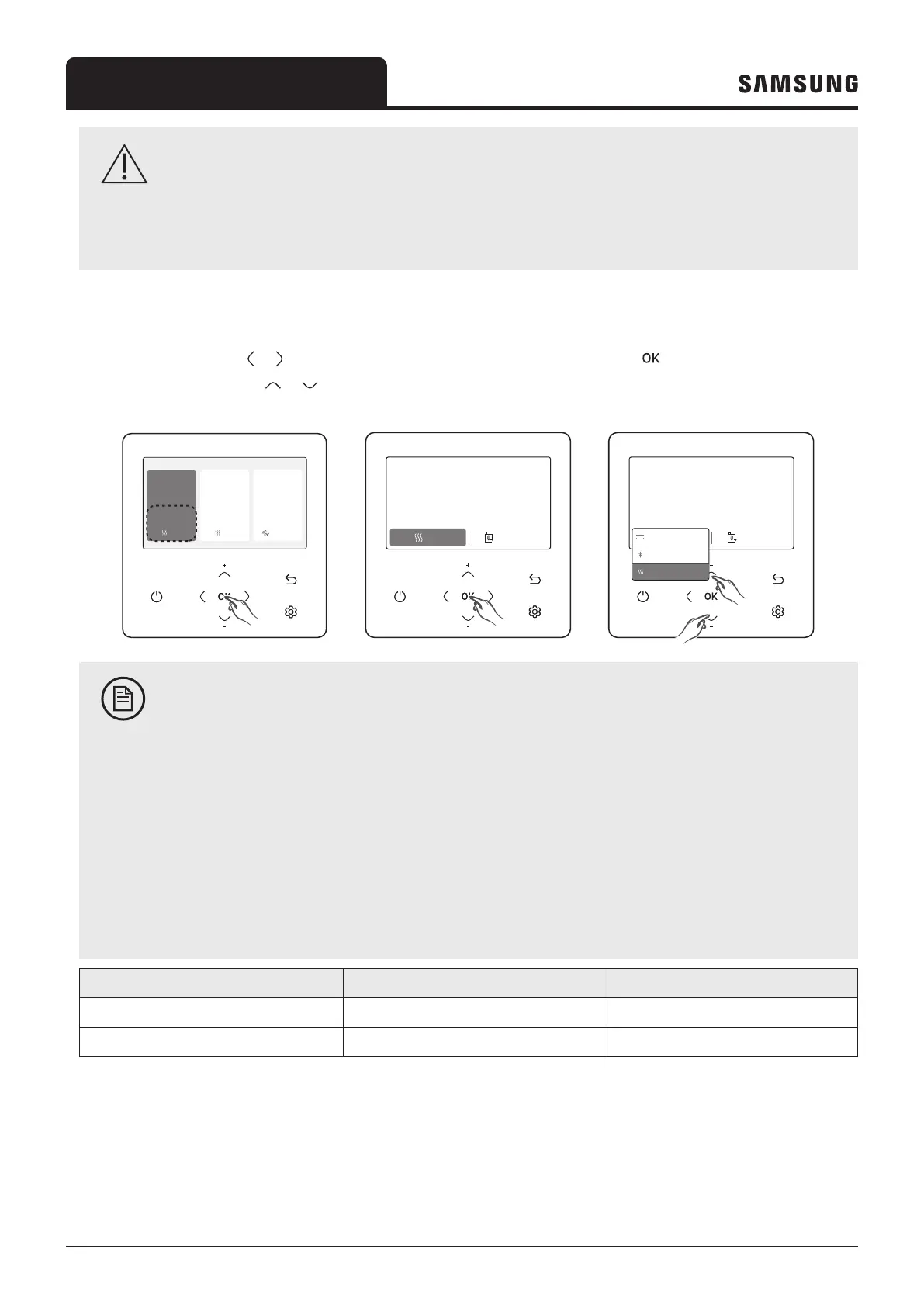
Setting the set temperature
On each screen, press the or button to select a desired mode and then press the the
button. You can adjust the set
temperature by pressing the
or button.
Outdoor 07/30/2022 1:30 PM
Zone1
Zone2
30
Heat
Set
°
°
28.2
.0
24
Heat
Set
°
.0
DHW
45
Economic
Set
°
.0
07/30/2022 1:30 PM
Heat
30
Zone 1
Set Current
Water outlet
Water
Outlet
Water
Outlet
Indoor
°
.0
28.2
°
8.3
°
07/30/2022 1:30 PM
30
Zone 1
Set Current
Water outlet
Water
Outlet
Water
Outlet
Indoor
°
.5
28.2
°
8.3
°
Auto
Heat
Cool
AUTO
NOTE
• You can adjust the desired temperature by 0.1, 0.5, 1 °C. (Default 0.5 °C)
• When the reference temperature to control is Water Outlet, you can set the temperature only for Water
Outlet.
• When the reference temperature to control is Indoor, you set the temperatures for Indoor and Water
Outlet.
•
wired remote controller, the water law is set via FSV (#2011~#2081).
• Depending on the Reference temperature set for cooling and heating, the controllable temperatures are
restricted for each mode.
Auto Cool & Heat
Water Outlet WL Water Outlet
Indoor Temp - Indoor Temp, Water Outlet



 To Next Page