Installer reference guide / Mono tank integrated type 163
Energy
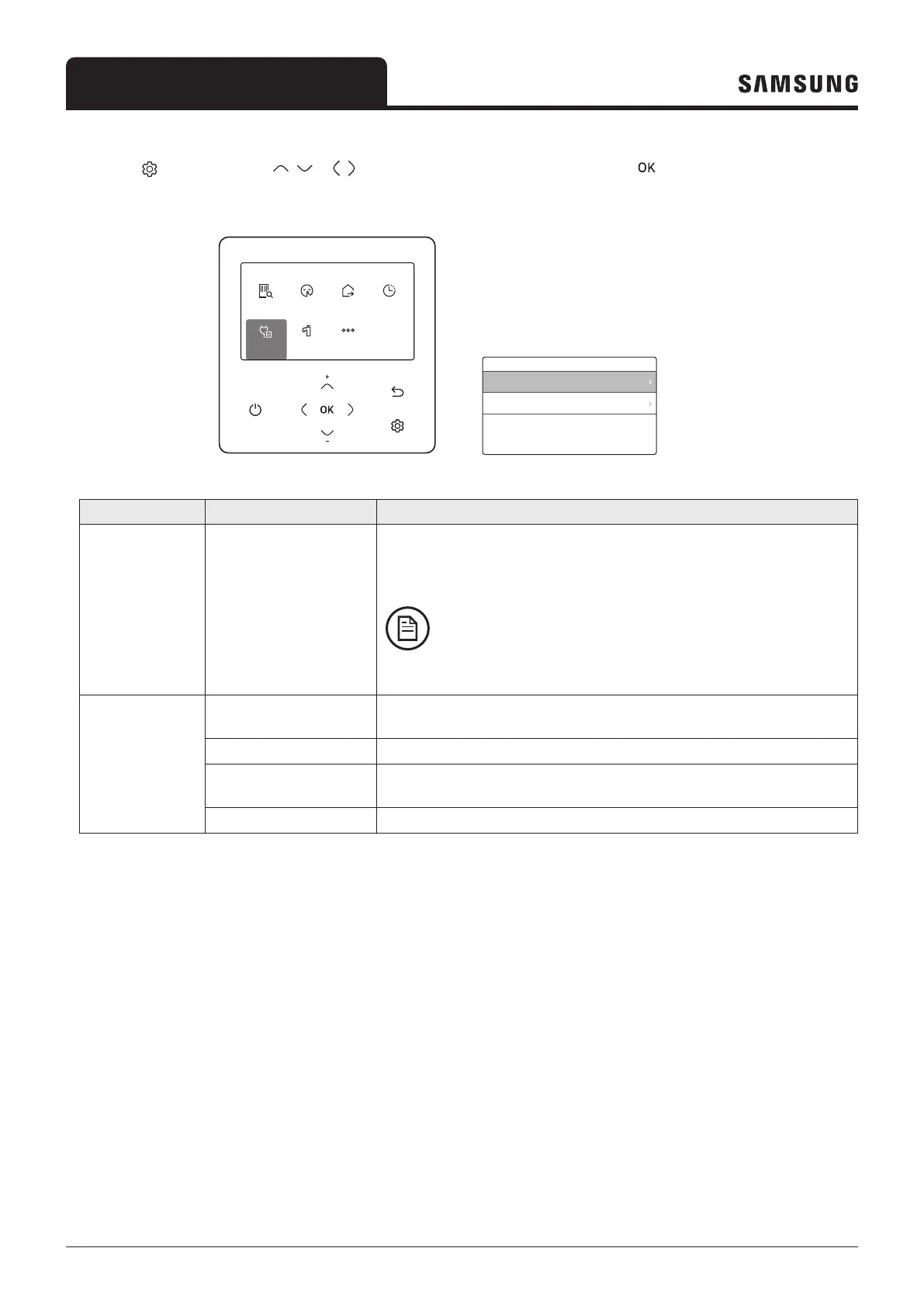
Press the button, press the , or , button to select Energy, and then press the button.
You can see and set any of Energy Usage and Energy Setting.
Outdoor 07/30/2022 1:30 PM
Zone1
Zone2
30
Heat
Set
°
°
28.2
.0
24
Heat
Set
°
.0
DHW
45
Economic
Set
°
.0
Operation
Status
Quiet
ON
Priority
DHW
OptionEnergy
Outing
OFF
Schedule
Settings
Operation
Status
Quiet
ON
Priority
DHW
OptionEnergy
Outing
OFF
Schedule
Settings
Energy
Energy Usage
Energy Setting
Operation
Status
Quiet
ON
Priority
DHW
OptionEnergy
Outing
OFF
Schedule
Settings
Operation
Status
Quiet
ON
Priority
DHW
OptionEnergy
Outing
OFF
Schedule
Settings
Option
Button Lock
Error List
Indoor Unit Information
User Mode
Schedule
Add a schedule
Classification Type Description
Energy Usage -
Displays the Instantaneous Power, Weekly Energy Usage, Monthly Energy
Usage, Yearly Energy Usage, Energy Usage over Last Year, and Operation Time
in graph format.
NOTE
• For accuracy of operation time, use the DMS time.
• The weekly display follows the ISO 8601 standards.
Energy Setting
Target Energy
Consumption
Sets the target energy consumption.
Target Operation Time Sets the target operation time.
Alarm Popup
Sets whether or not to generate an alarm when the target energy
consumption is reached.
Usage Data Initialization Initialize the entire energy function.



 To Next Page