7. Electrical installation
Installer reference guide / Mono tank integrated type 96
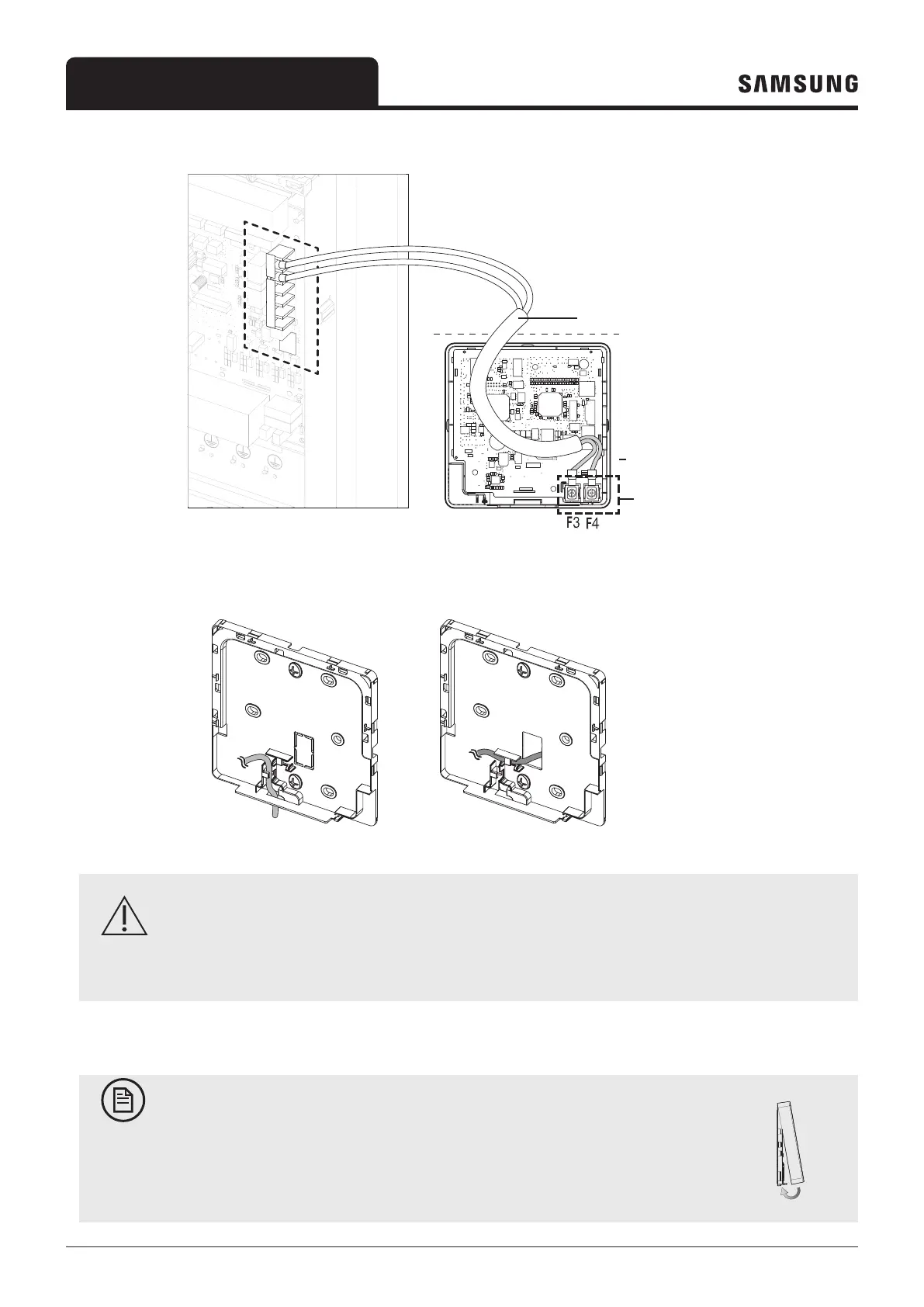
4 Connect the communication cable to the indoor terminal (F3, F4),and then fix the wires.
V1F1 F2 V2 F3 F4
V1F1 F2 V2 F3 F4
V1F1 F2 V2 F3 F4
PCB terminal
Front cover
Wire (not supplied)
Do not tighten the screws on the PCB terminal with excessive force.
Indoor
Wired Remote
Controller
CAUTION
• When using an electric screwdriver, tighten the screws to the standard torque because the top of screws
may be worn out if you use a strong torque.
5 Reassemble the Wired Remote Controller.
NOTE
• Align the controller with the upper groove first, and then insert it by turning it
downwards as shown in the figure.
After assembly, check and confirm that no wires are stuck in the gap between the back
and front covers.



 To Next Page