88
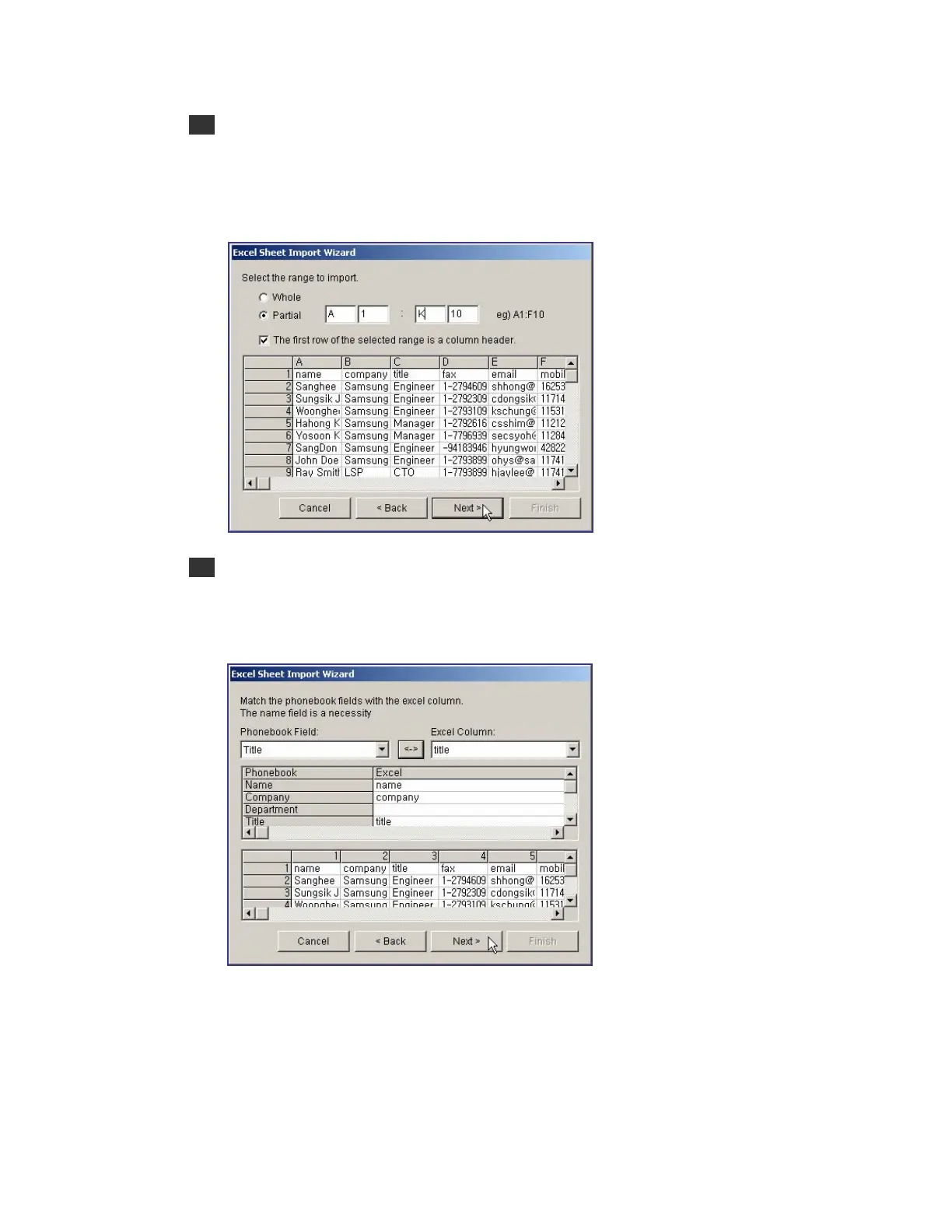
5 Select the range of the Excel Sheet to import, and click the [Next>] button. If the whole
worksheet is required to import, select [Whole]. If the partial worksheet is required to
import, select [Partial]. Then, set the range. The window below shows the range of a
selected worksheet ranging from the 1st line of the A column to the 10
th
line of the K
column.
6 In the window below, select a column of the phone book to import. Select an item in the
Phonebook Field and in the Excel Column, and click the [↔] button. Check the selected
items in the list at the center of the dialog box. Either [Name] or [Company] must be
selected. After selecting items to import, click the [Next>] button.















 To Next Page