89
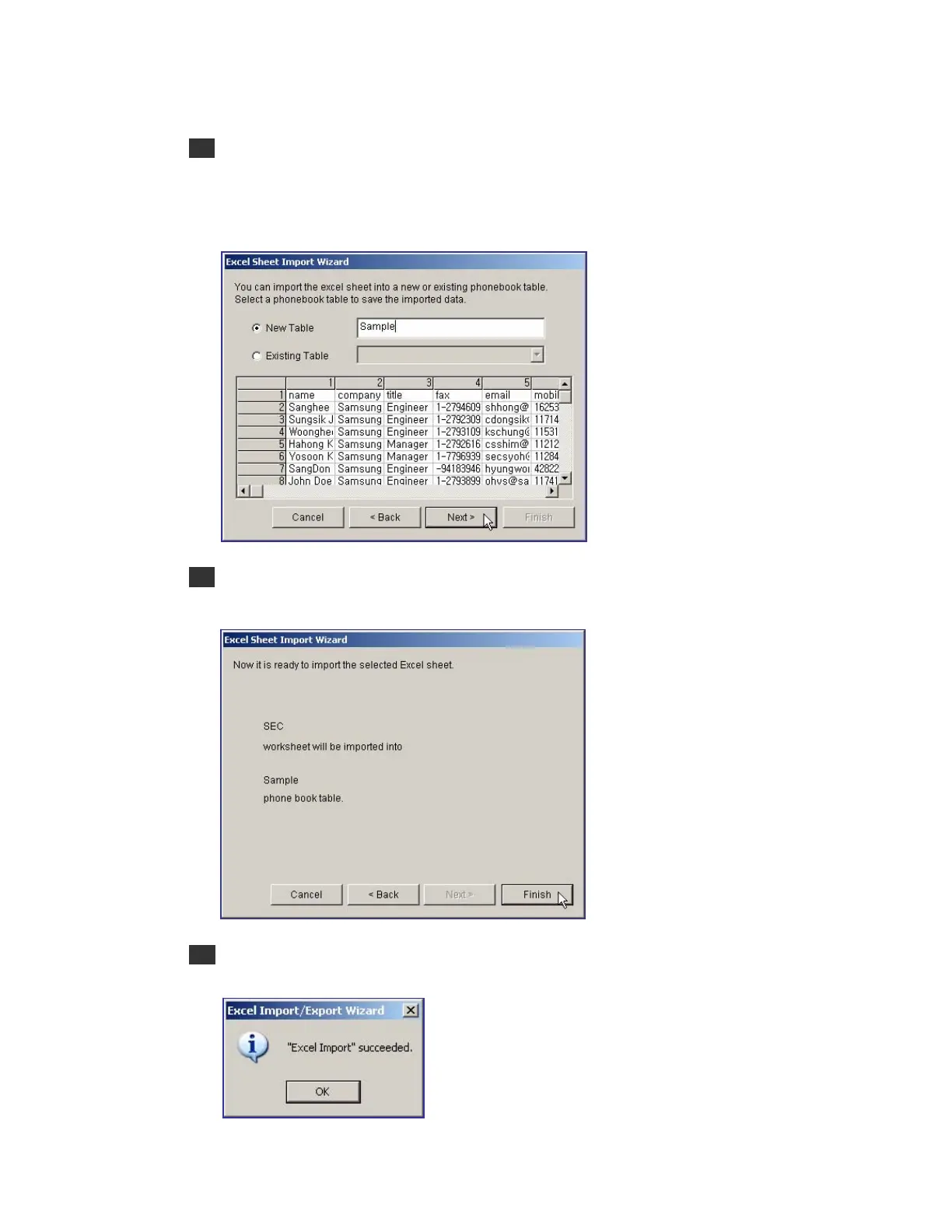
7 In the window below, select the phone book table where the imported data will be stored,
and click the [Next>] button. When the user wants to store the data in a new table, check
the New Table, and enter the name of the new table. When the user wants to store the
data in the existing table, check the Existing Table, and select one from the list.
8 When the dialog box below prompts the user to confirm the selection, click the [Finish]
button.
9 Once the import of the Excel data is successfully completed, the message below is
displayed:















 To Next Page