4.Troubleshooting
4.1.6.2.UsingSamsungPrinterStatus(Windowsonly)
TheSamsungPrinterStatusisaprogramthatmonitorsandinformsyouofthemachinestatus.
NOTE
•TheSamsungPrinterStatuswindowanditscontentsshowninthisuser’sguidemaydifferdependingonthemachine
oroperatingsysteminuse.
•Checktheoperatingsystem(s)thatarecompatiblewithyourmachine.
SamsungPrinterStatusoverview
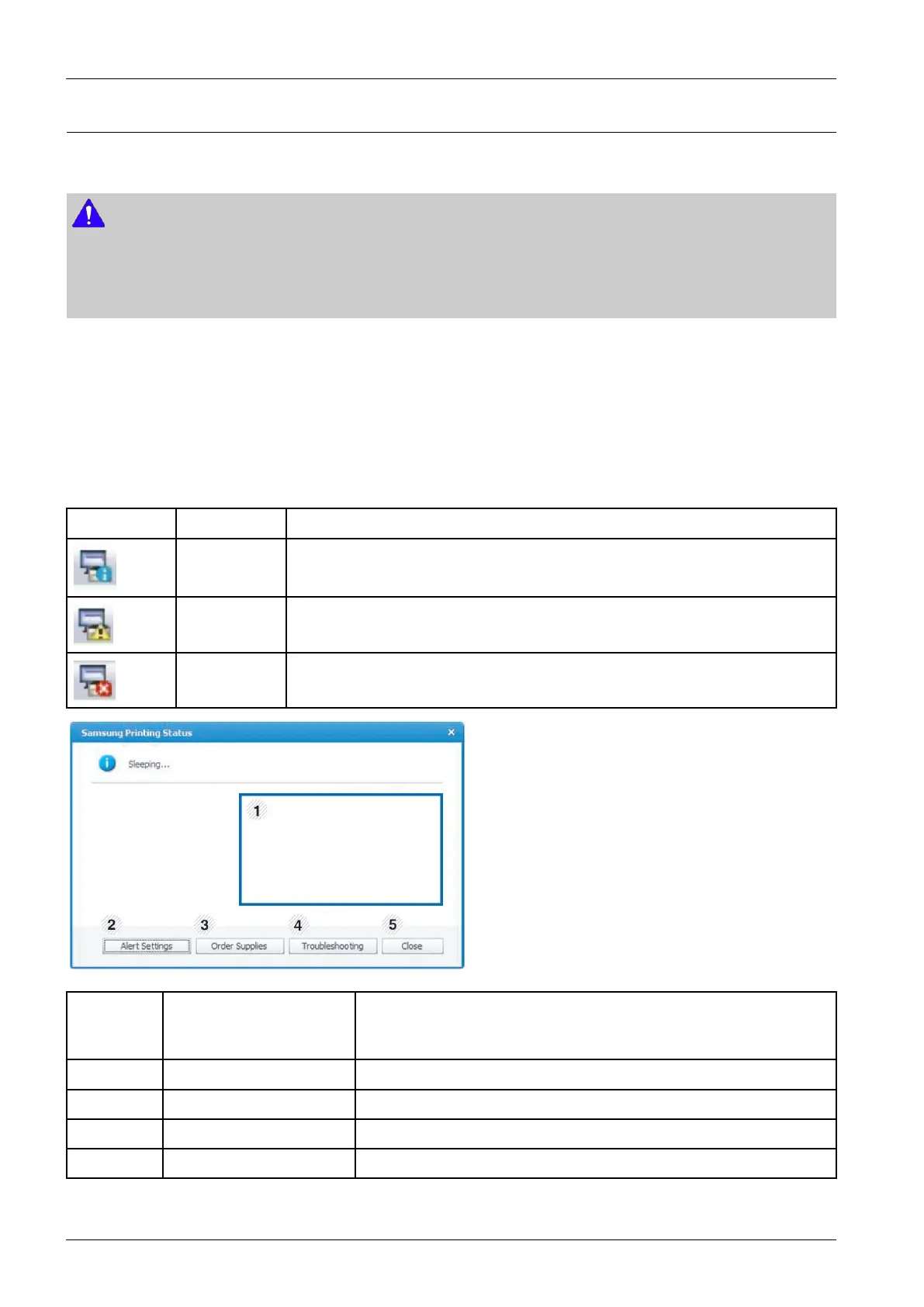
Ifanerroroccurswhileoperating,youcanchecktheerrorfromtheSamsungPrinterStatus.SamsungPrinterStatusis
installedautomaticallywhenyouinstallthemachinesoftware.
YoucanalsolaunchSamsungPrinterStatusmanually.GotothePrintingPreferences,clicktheBasictab>Printer
Statusbutton.
TheseiconsappearontheWindowstaskbar:
IconMeanDescription
NormalThemachineisinreadymodeandexperiencingnoerrorsorwarnings.
WarningThemachineisinastatewhereasofterrorhasoccurred.Forexample,atonerlowstatus,
whichmayleadtotoneremptystatus.
ErrorThemachinehasatleastoneharderror,suchasoutofpaper,fusererror,etc.Machine
doesnothaveabilitytocometoreadywithoutcustomerintervention.
1TonerLevelYoucanviewtheleveloftonerremainingineachtonercartridge.Themachine
andthenumberoftonercartridge(s)shownintheabovewindowmaydiffer
dependingonthemachineinuse.Somemachinesdonothavethisfeature.
2AlertSettingsSelectthesettingsyouwantfromtheoptionswindow.
3OrderSuppliesYoucanorderreplacementtonercartridge(s)fromonline.
4TroubleshootingYoucandirectlyopenthetroubleshootingsectionintheuser’sguide.
5CloseClosethewindow.
4-22Copyright©1995-2016SAMSUNG.Allrightsreserved.



 To Next Page
 Loading...






