MULTI-PORT OPTICAL POWER METER MPM-210H
11 / 59
3. Panel Descriptions
3.1. Front Panel
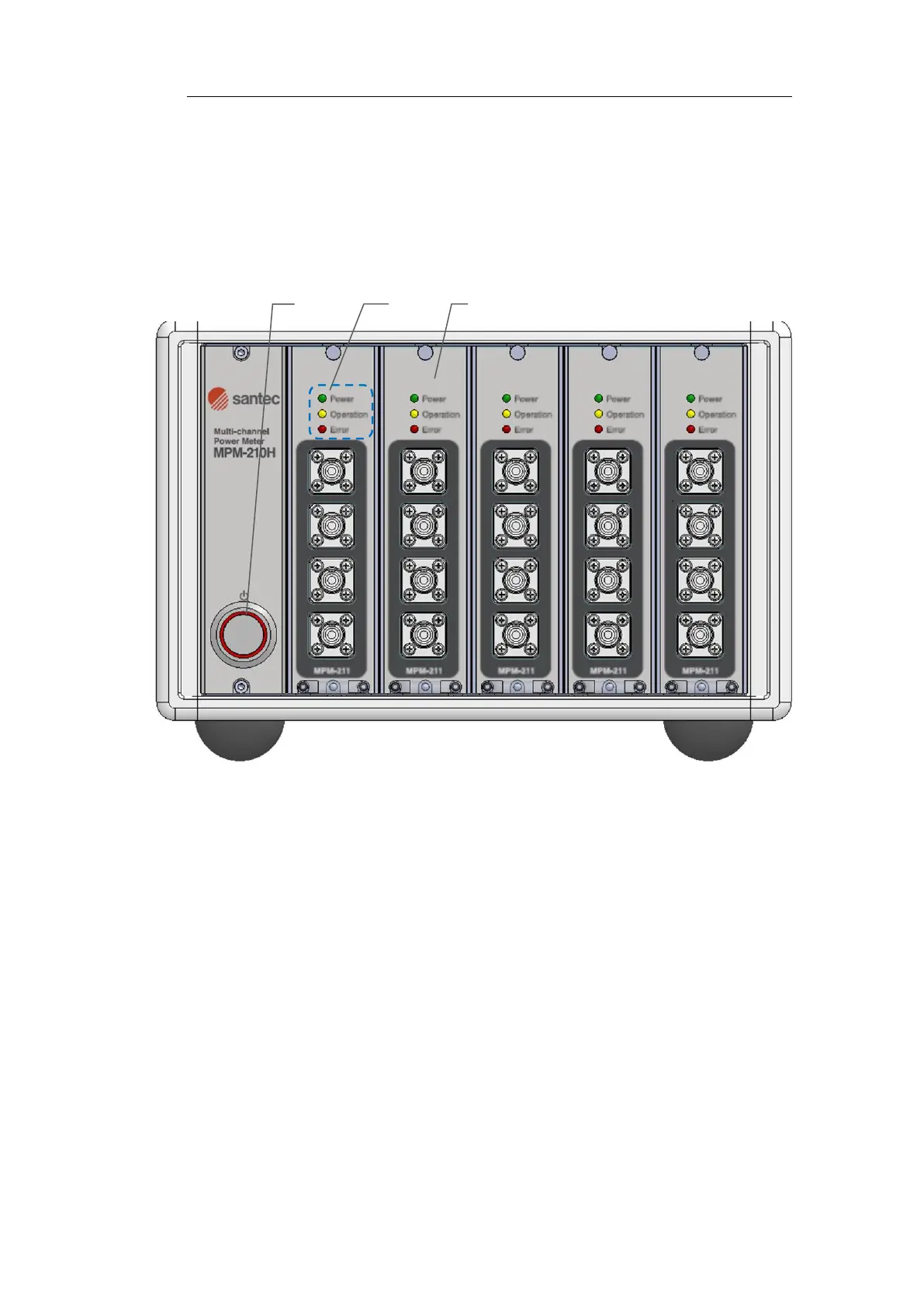
Figure 3-1. Front Panel
(1) Power on switch
(2) LED for Power, Operation and Error
Power LED light will be turned on when the product is on. Operation LED
light will be on while measuring and Error LED light will be on if the product
is not connected with main body internally. If all the LEDs are lit, the
firmware version of Mainframe (MPM-210H) and the firmware version of
the modules do not match. Please confirm the firmware version.
(3) Module
Up to five sensor modules can be inserted, and the module numbers are
arranged in order of 0, 1, 2, 3, 4 from the left side.



 To Next Page