MULTI-PORT OPTICAL POWER METER MPM-210H
21 / 59
5.2. TCP/IP Communication
5.2.1 Computer setting method of the TCP/IP communication
In case of the TCP/IP communication, please set up the computer in
reference to the following step.
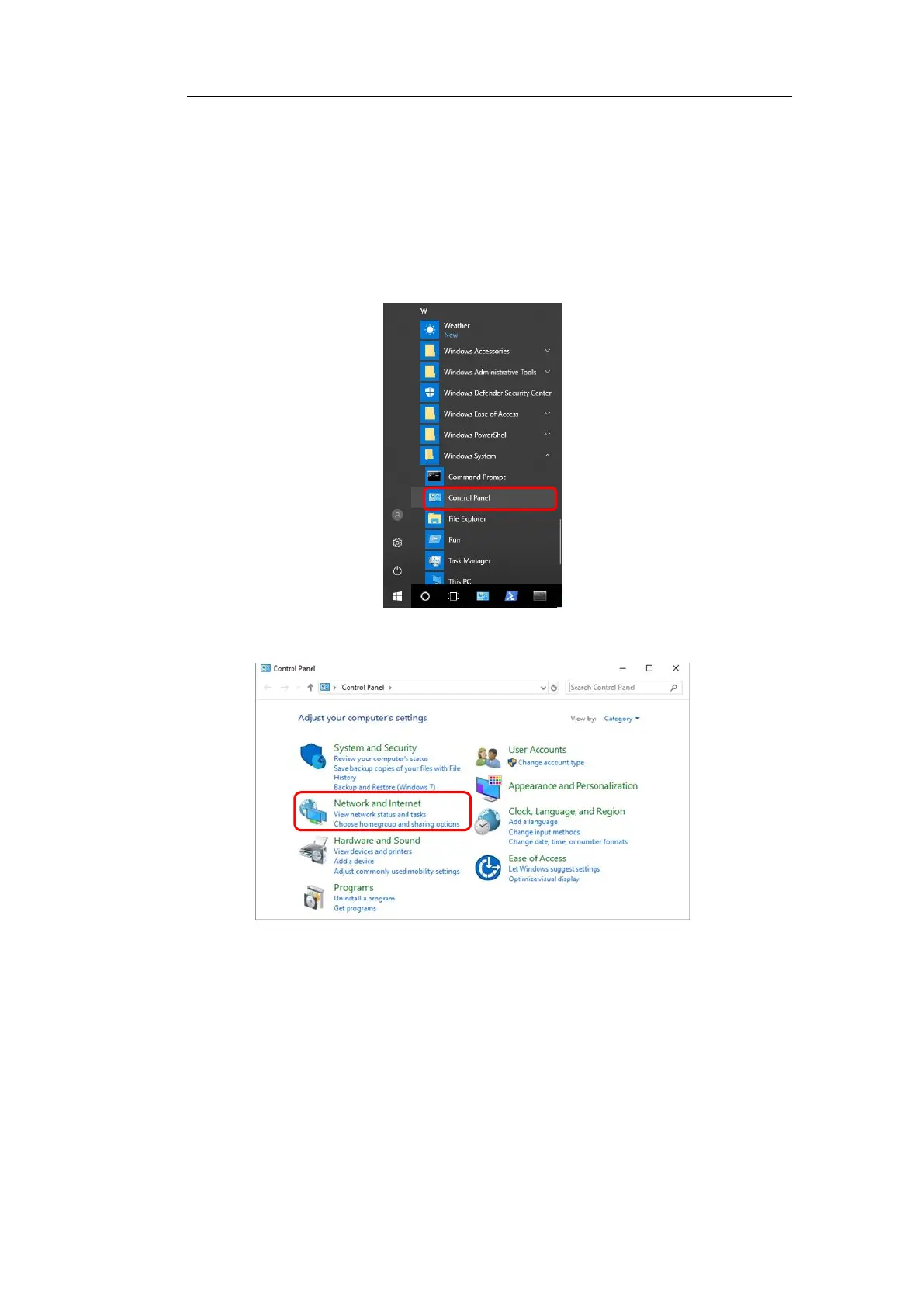
1/Clicks the Start menu and selects the Control Panel.
2/Clicks on the “Network and Internet”
3/Clicks on “Network and Sharing Center”



 To Next Page