MULTI-PORT OPTICAL POWER METER MPM-210H
23 / 59
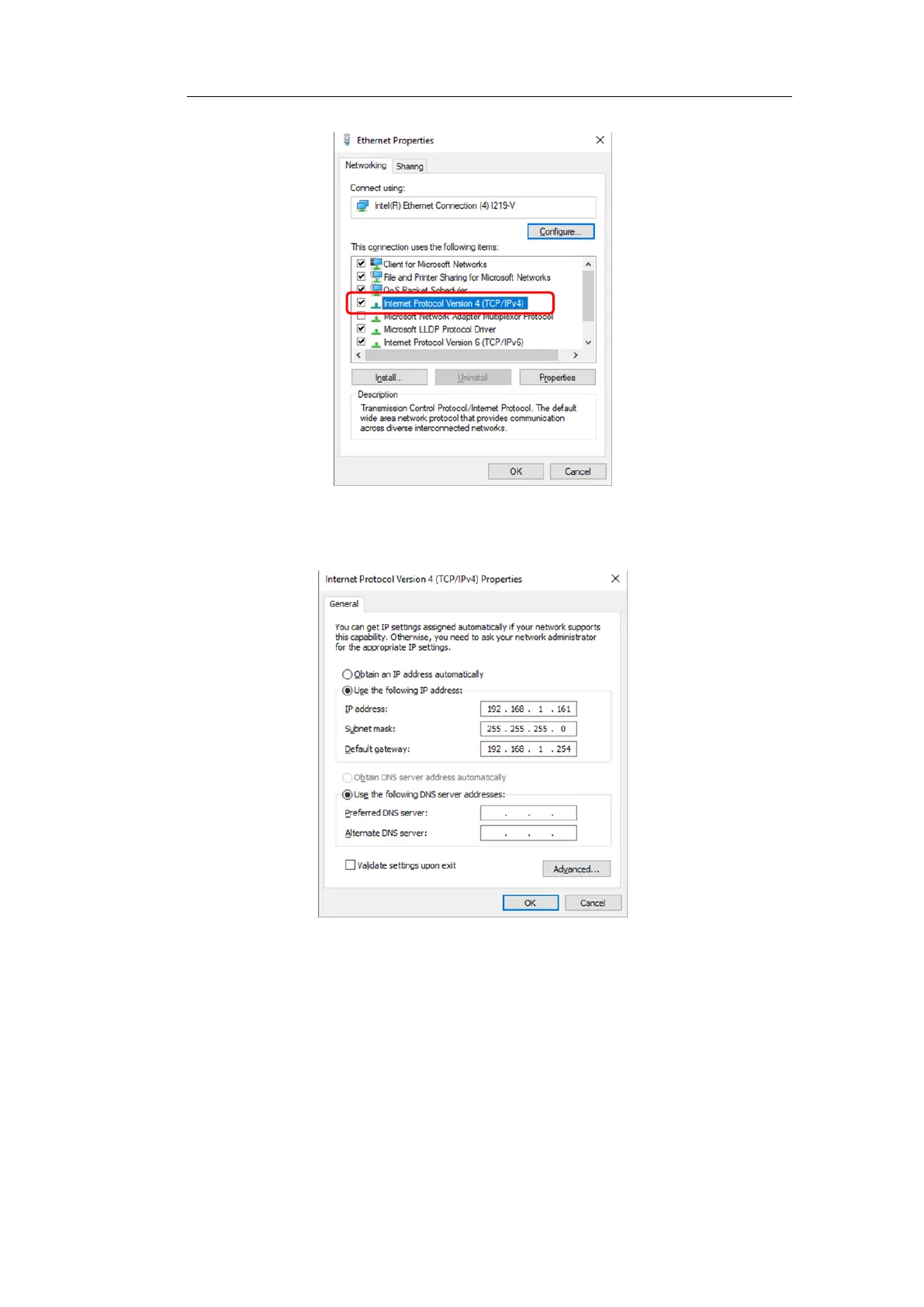
7/Changes to “Use the following IP address” and inputs your IP and DNS
information.
Sets the IP address to a different address from the MPM-210H address.
Sets the Subnet mask to same address as the MPM-210H address.
Sets the Default gateway to same address as the MPM-210H address.
*Please check the MPM-210H address by GPIB communication.
Checks the IP address by the command “IP?”.
Checks the Subnet mask by the command “SUBNET?”.
Checks the Default gateway by the command “GW?”.



 To Next Page