22/95
User manual SCAIME: NU-soft-eNod4B-E-0716_236704-C.doc
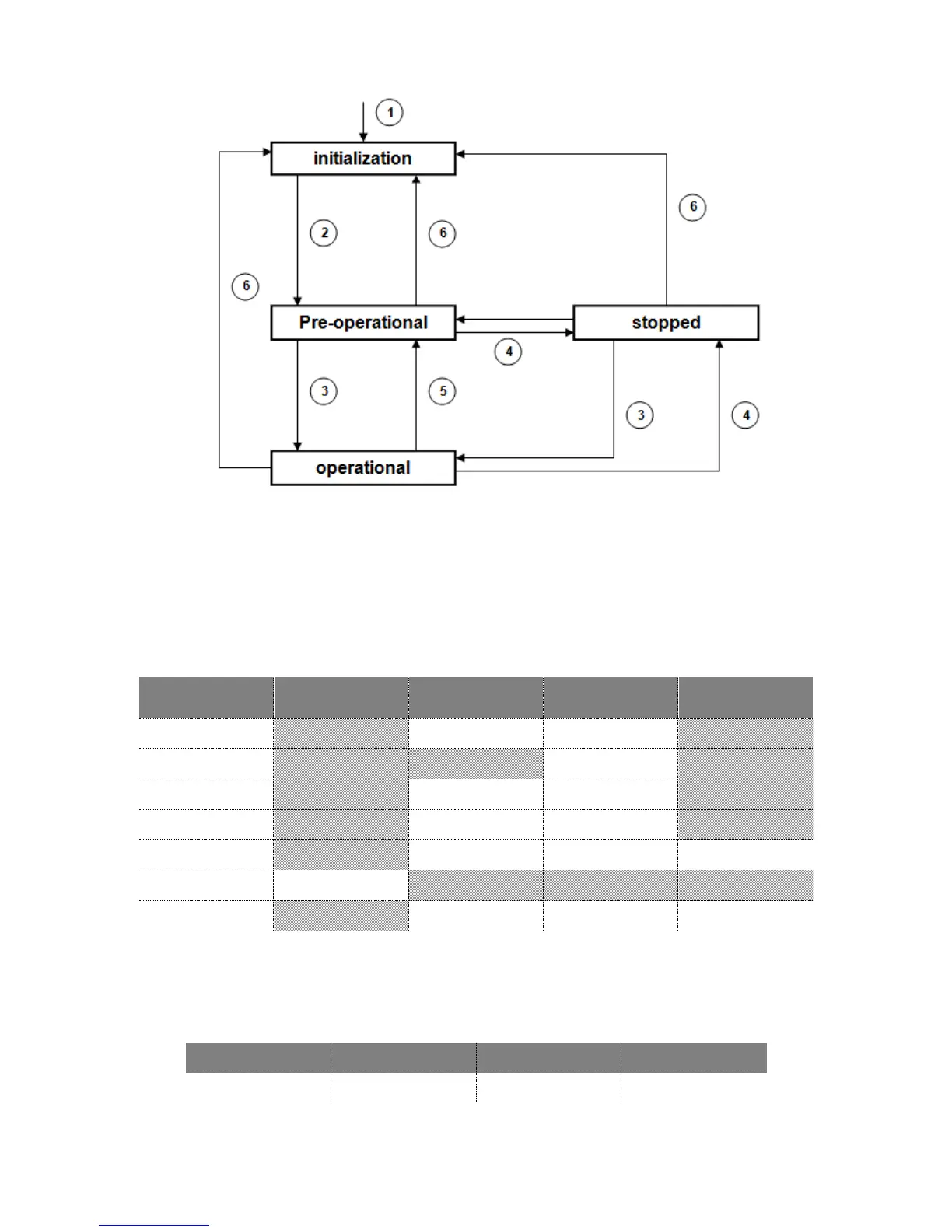
1 : eNod4 device power-up
2 : automatic transition after the end of initialization
3 : reception of a ‘Start Node’ indication
4 : reception of a ‘Stop Node’ indication
5 : reception of an ‘Enter pre-operational mode’ indication
6 : reception of a ‘Reset node’ or a ‘Reset communications’ indication
eNod4 communication capacities for each state are given in the following table :
5.5.1 NMT commands
Except during the initialization phase, eNod4 is able to handle any NMT master’s requests for changing its current
state. All these network management messages are constituted the same way: a two-byte data frame with a COB-ID
equal to zero:



 To Next Page