Page 43
Replacing Major Components 6
AT-10 plus Service Handbook Changing the fuse and mains voltage 6.3
Art.-no.: 2.540043 Rev.: a
6.2.2 Battery disposal
6.3 Changing the fuse and mains voltage
6.3.1 Fuse types
6.3.2 Changing a fuse
1. Disconnect the device from the mains and remove the mains plug.
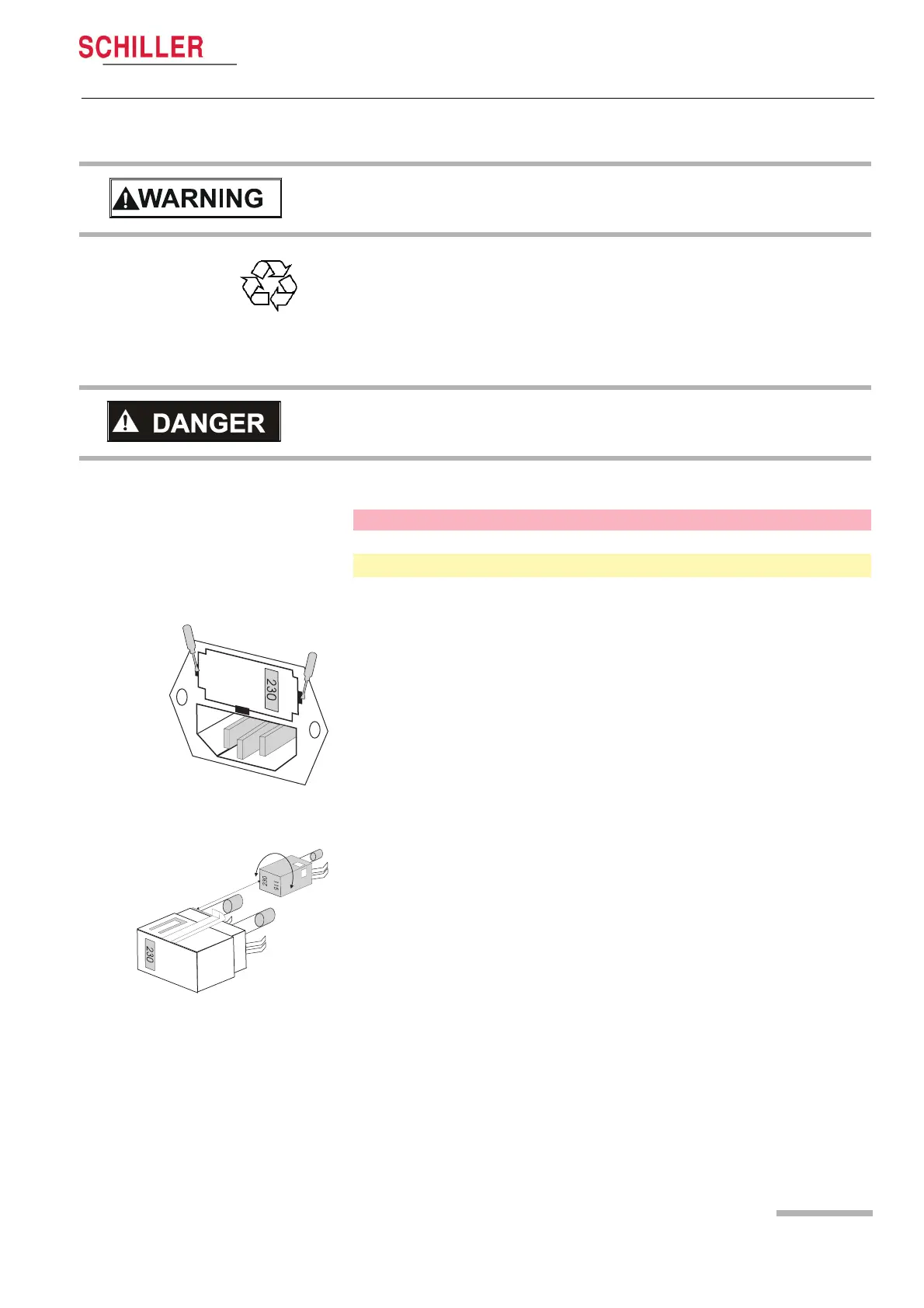
2. Loosen the fuse inset using a screwdriver and remove it.
3. Replace existing fuses with the same type. See table above.
4. Re-insert the fuse inset.
6.3.3 Changing the mains voltage
1. Disconnect the device from the mains and remove the mains plug.
2. Loosen the fuse using a screwdriver and remove it.
3. Remove the grey inset, turn it by 180° and re-insert it.
4. Check the voltage indication in the window.
5. Replace both fuses with the new value as defined in the table above.
6. Re-insert the fuse assembly.
V Danger of explosion. Battery may not be burned or disposed of domestic refuse.
V Danger of acid burns! Do not open the battery.
The battery is to be disposed of in municipally approved areas or sent back to
SCHILLER AG.
V Before the fuse and mains voltage are changed, the device must be disconnected
from the mains and the mains plug removed for the wall socket.
V The fuse may only be replaced by the fuse type the table below.
Voltage range Number Fuse type
220 - 240 VAC 2 250 V / 160 mA (T = slow blow)
100 - 115 VAC 2 115 V / 300 mA (T = slow blow)














 To Next Page