6 Replacing Major Components
6.4 Opening the case
AT-10 plus
Page 46
Art.-no.: 2.540043 Rev.: a
6.4.1 Printer
1. Loosen the four Philips screws (1).
2. Loosen the screw for the ground cable.
Thermal paper handling
The thermal paper used in the AT-10 plus requires slightly different handling to normal
paper as it can react with chemicals and to heat. However, when the following points
are remembered, the paper will give reliable results:
The following points apply to both storage, and when archiving the results.
1. Before use, keep the paper in its original cardboard cover. Do not remove the
cardboard cover until the paper is to be used.
2. Store in a cool, dark and dry area.
3. Do not store near chemicals e.g. sterilisation liquids.
4. In particular do not store in a plastic cover.
5. Certain glues can react with the paper - do not attach the printout onto a mounting
sheet with glue.
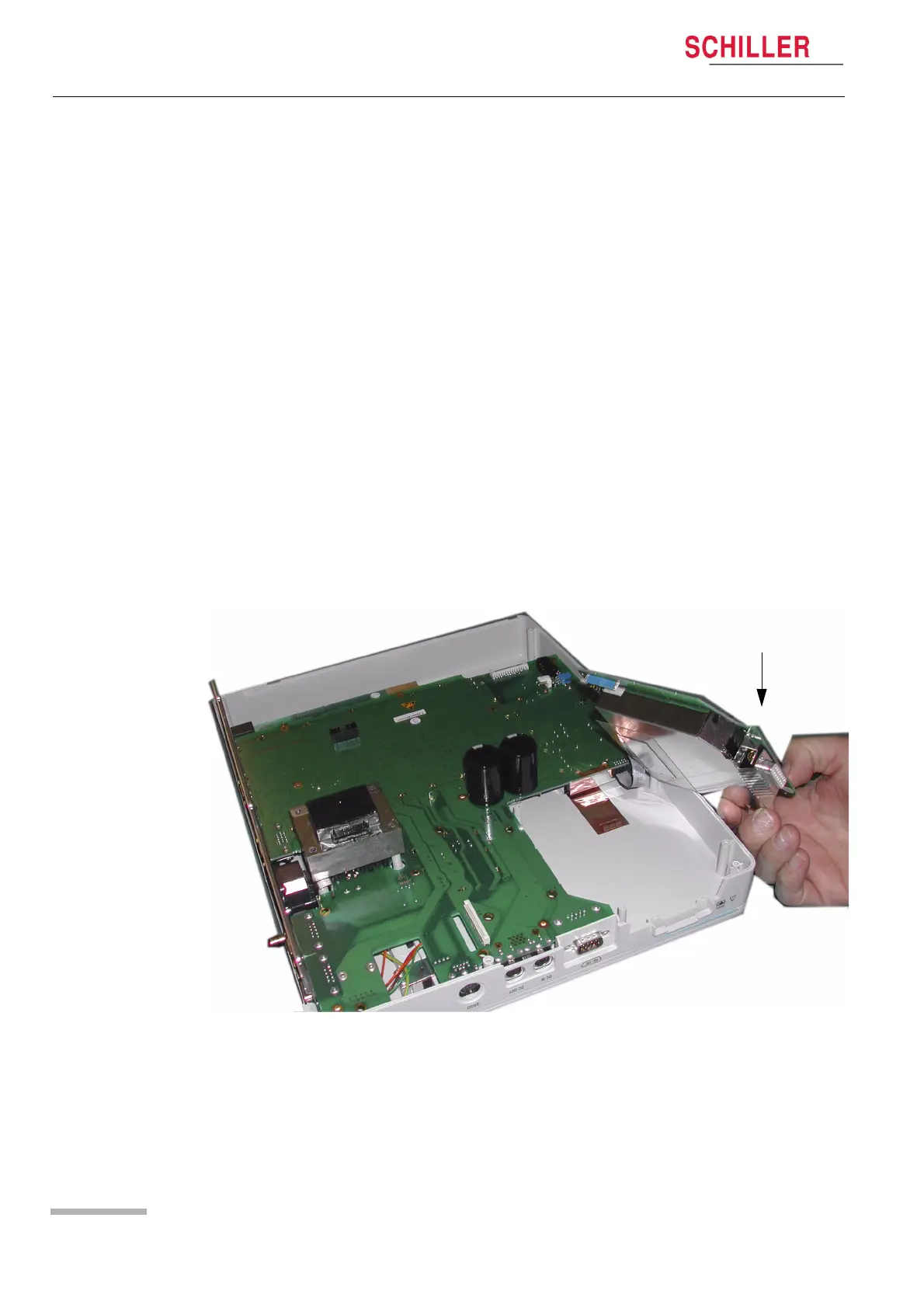
6.4.2 ECG Amplifier MK 22-2
1. Remove the securing screws (including the patient connector screws).
2. Gently lift the board to gain access to the connector and remove.
ECG Amplifier














 To Next Page