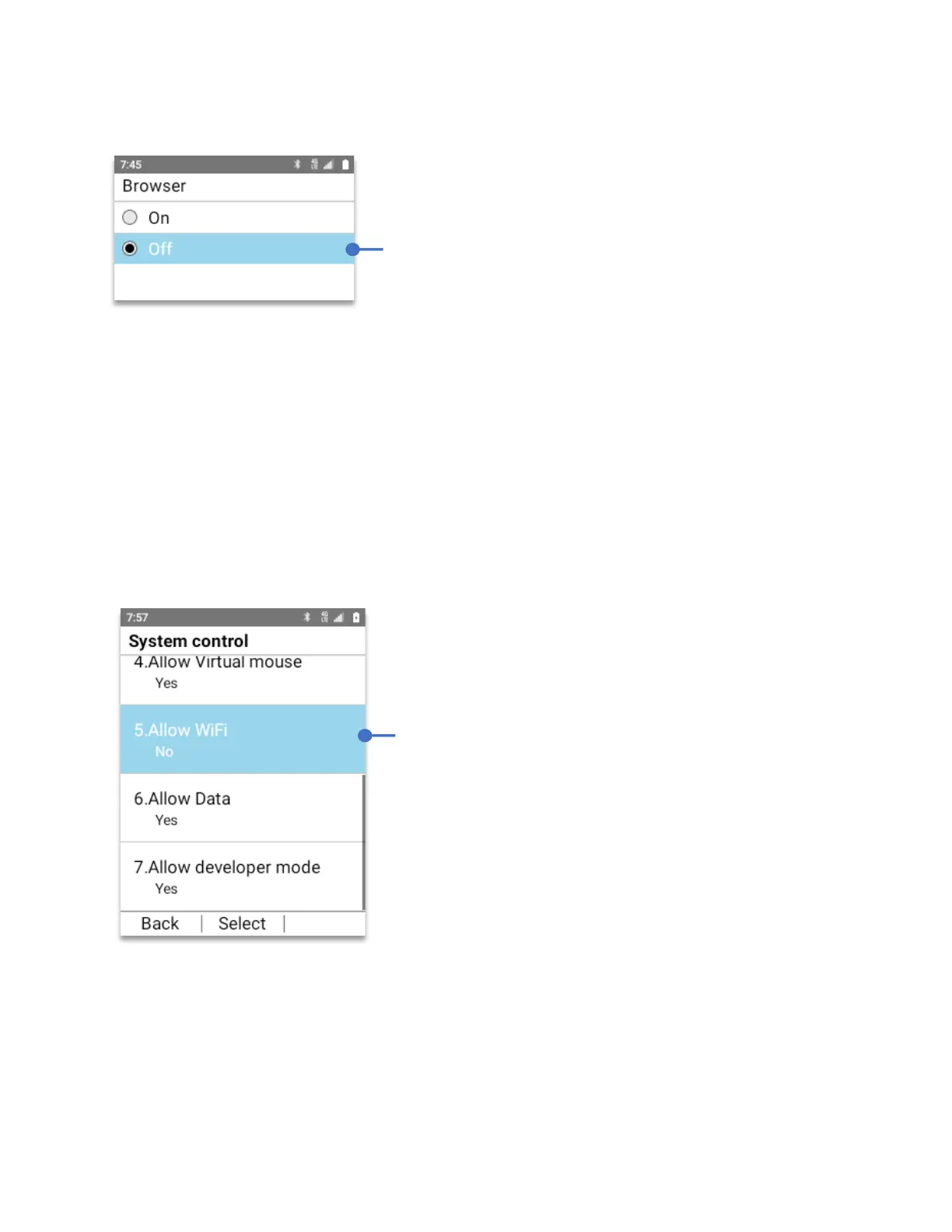
The Browser menu will open. By default all applications are allowed to be use, showing “On”
To block the Browser app from opening:
• Using the
Navigation key
, select “Off”, press the
OK key.
System control:
The system control menu contains all the system features that can be turned blocked.
From the Lock control 2.0 menu:
Using the
Navigation key
, press
OK Key
on
System control.
To turn On the Wi-Fi module:
• Using the
Navigation key
, press
OK Key
on
System control.
• Using the
Navigation key
, Select
“On”.
• Press the
OK Key (Set).
Select
Off
, press the
OK key.
The Browser app is
now blocked and cannot be use until changed again
to “On”.
As an example, to turn off Wi-Fi:
Using your Navigation key, select
“No”
Press the
OK key.
The Wi-Fi module is now blocked, off and cannot
be turned on until changed again to “On”.



 To Next Page