Start-up
42
04.00 | WSG 50 | Assembly and operating manual | en | 389474
Ø Connect your product with the power supply (24 V, 3 A).
✓ The product will now start up. The indicator for the operating
state will light up blue and after about 5 seconds it will start
flashing quickly blue. This signals that the product is booting.
✓ After about 15 seconds the indicator will slowly flash white.
The product is ready for use
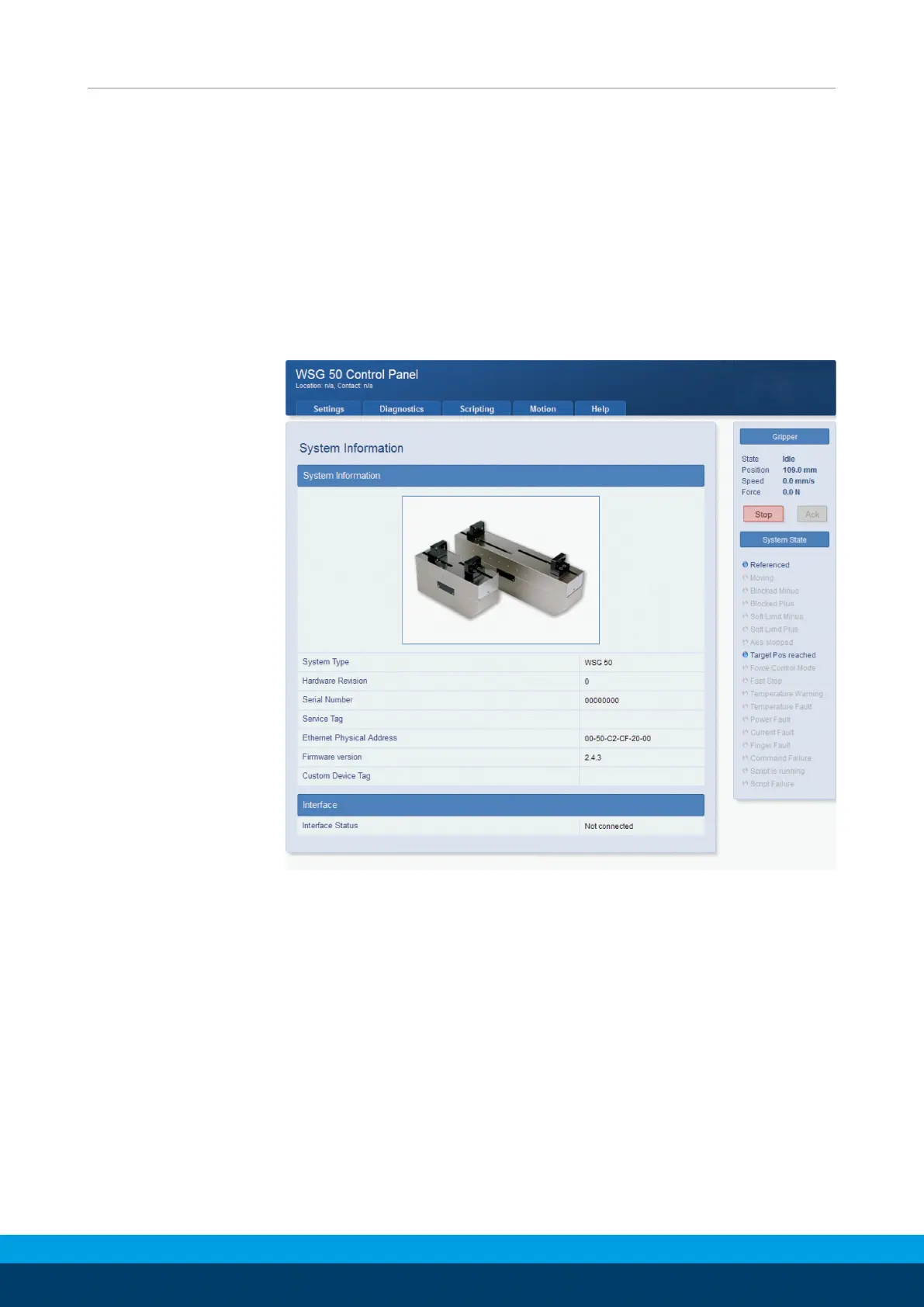
Ø On your computer, open the Internet browser and enter the
address http://192.168.1.20.
✓ You will be presented with the product‘s configuration
interface
The starting page of the web-based interface
Ø From the menu, select the Motion -> Manual Control option and
click on the “Home“ button
✓ The product will now zero itself.


 To Next Page