Drives22
Drives
System drives
General observations
The navigation DVD, audio CDs, MP3 CDs and memory cards
in SD or MMC format can be loaded into the system drives.
– Press the button to open and close the display ⇒ page 23,
fig. 25.
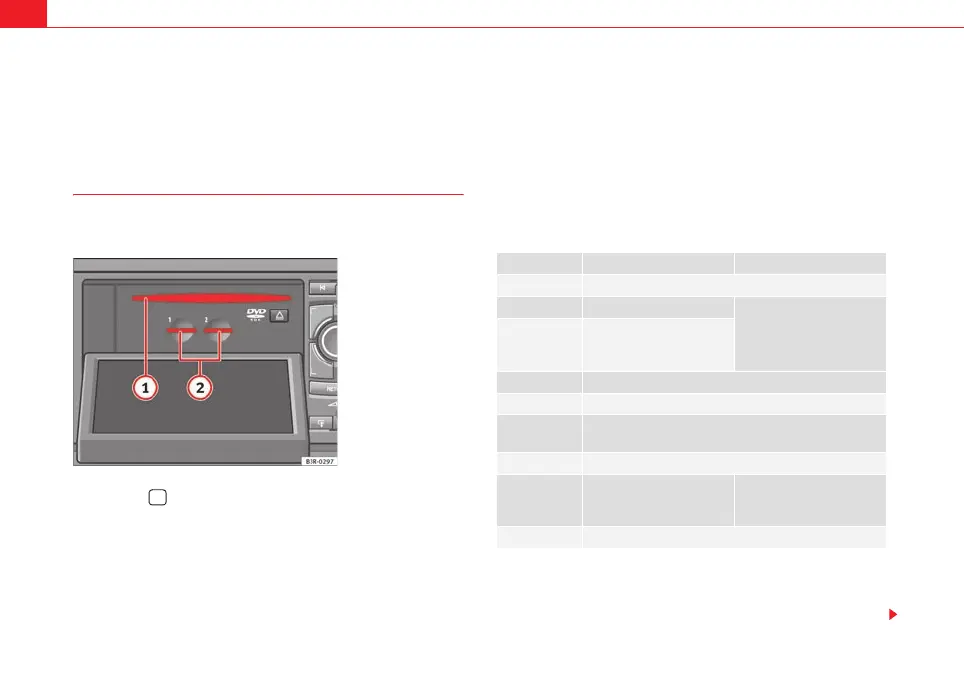
The following drives are located behind the display:
Navigation DVD drive ⇒ fig. 24
Two MP3 card readers for SD or MMC memory cards ⇒ fig. 24
The navigation DVD drive can read and play the navigation DVD compatible
with the equipment, audio CDs and MP3 CDs.
An audio CD inserted into the drive is played using the CD function
⇒ page 51. An MP3 CD or SD/MMC memory card inserted into the drive is
played using the MP3 function ⇒ page 54.
MP3 files must meet the following specifications:
We recommend a bit rate of at least 160 kbit/s for compressing MP3 files.
Fig. 24 Display open:
DVD drives and MP3
memory cards
1
A
2
Type of media MP3 CDs Memory cards
Format MPEG-1 Layer 3
Standard ISO 9660 Level 2 FAT
or FAT32 process
File system Joliet or Rockridge (single
session and multisession)
file system
File name Max. 64 characters
Bit rates 32 - 320 kbits/s, variable speed
Number of files Max. 400 files per medium, max. 255 directories with
max. 8 directory levels
ID3 tags Version 1 and 2, max. 64 characters
Supported
media
CD-ROM, CD-R, CD-RW with
a capacity of 650 MB and
700 MB
SD or MMC card with a
capacity of up to 32 GB
a)
a)
The two MP3 memory card drives have been tested for use with many products cur-
rently available on the market. However, there may be some memory cards which are
not supported.
Playlists m3u format, file extension “m3u”
media_systemE_EN.book Seite 22 Montag, 21. September 2009 1:48 13



 To Next Page