RADIO38
– Select Update station list ⇒ page 37, fig. 37 to show the list of
stations that can be received at that time.
All the MW and LW stations that can be received are included in the station
list at this time. The list is limited to a maximum of 30 stations.
If you are outside the transmission range for your station, it will still be
displayed but there will be interference in the signal. In this case, update your
list of stations ⇒ page 37, fig. 37.
"Memory" Menu
Using the memory list
Up to 30 stations from all available frequency bands can be
saved in the memory list.
Saving a new station
– Select the desired radio station in the main radio menu using the
control knob.
–Press the Memory control button.
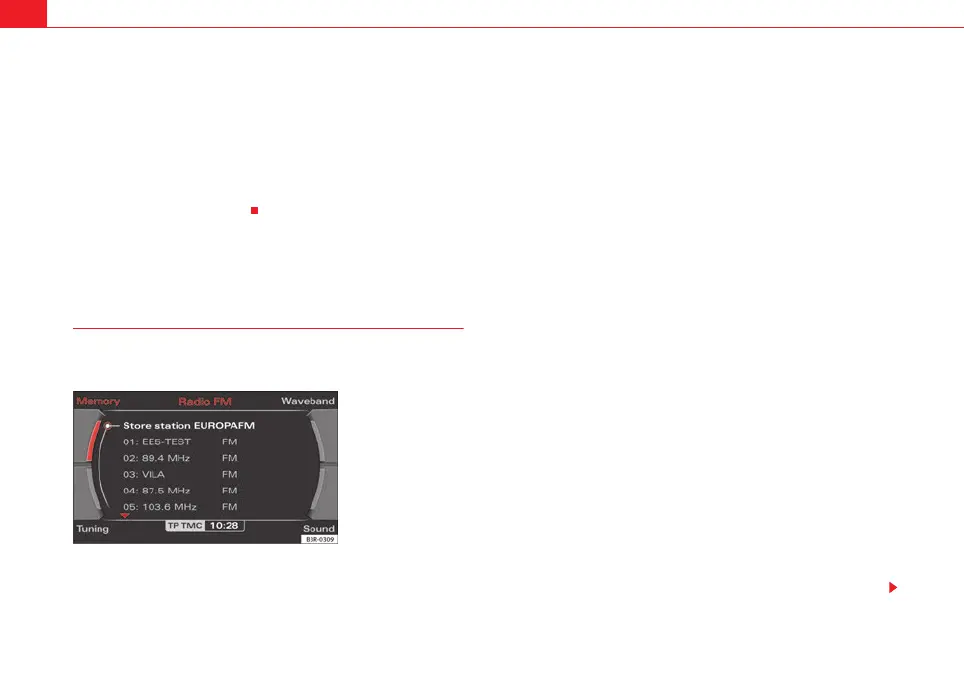
– By rotating and pressing the control knob, select Store station
(station ID) ⇒ fig. 38.
– Select the desired memory location by rotating the control knob.
– Press the control knob to save the station.
Selecting a station from the memory list
–Press the Memory control button in the radio menu.
– By rotating and pressing the control knob, select a station from
the memory list.
In addition to the lists of available stations (⇒ page 36) you can put together
your own personal memory list.
The frequency band ⇒ fig. 38 is indicated in each case to the right of the
station name ⇒ page 36.
A new station will be stored automatically at a vacant position in the memory
list. Alternatively, you may choose a specific position in the list to store the
station. If a station is already stored in this position it will be overwritten.
If the current station is already saved in the memory, you are not given the
Store station (station ID) option.
When you have selected the station you want in a radio station list
⇒ page 37, fig. 37, you can switch to the memory list by pressing and
holding the control knob to save this station.
In the Setup Radio function, you can delete saved radio stations from the
memory list using the Delete stored stations function ⇒ page 47.
On ⇒ page 39 you can find out how to set and save radio stations manually.
Fig. 38 Radio: Stored
station list
media_systemE_EN.book Seite 38 Montag, 21. September 2009 1:48 13



 To Next Page