Overview 5
Operating RADIO, MEDIA (audiovisual
systems)
NAME, TEL NAV, INFO CAR, SETUP
– Press and hold the ON/OFF button to switch the navigation
system off.
The navigation system can also be turned on and off manually if necessary. If
the navigation system was switched on in this way with the ignition key
removed, it will remain available for about thirty minutes.
If the system was switched off manually, it will not be switched on again auto-
matically the next time the ignition is turned on.
Note
To avoid discharging the battery, the navigation system should not be left
switched on for unnecessary long periods with the engine off.
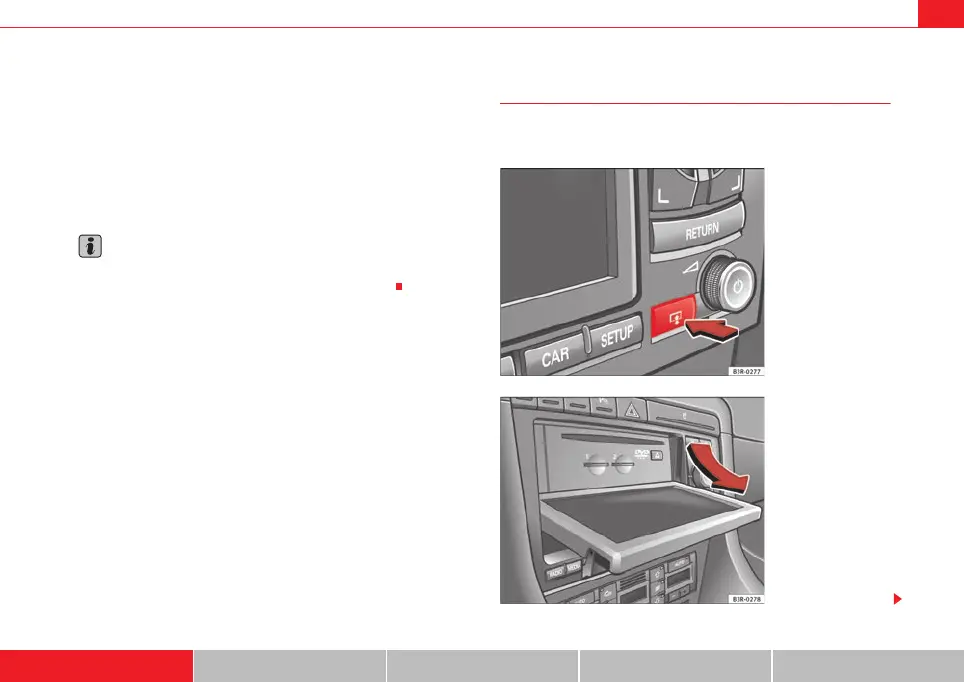
Opening and closing the display
The display must be opened to access the drives located
behind it.
Fig. 3 Navigation system:
Button for opening and
closing the display
Fig. 4 Display open:
Access to the DVD drive
and memory card readers
media_systemE_EN.book Seite 5 Montag, 21. September 2009 1:48 13



 To Next Page