CAR (vehicle settings) 151
Operating RADIO, MEDIA (audiovisual
systems)
NAME, TEL NAV, INFO CAR, SETUP
CAR, SETUP
CAR (vehicle settings)
Introduction
Selecting CAR function
– Press the function button ⇒ page 9. The main Car menu or
the menu for the Version function will be displayed.
If you select the Version function in the main Car menu, the hardware and
software status for the “SEAT Media System E” will be displayed.
Note
If you press the button within the Car function, you can programme
sound and tuning settings and adjust the brightness of the display.
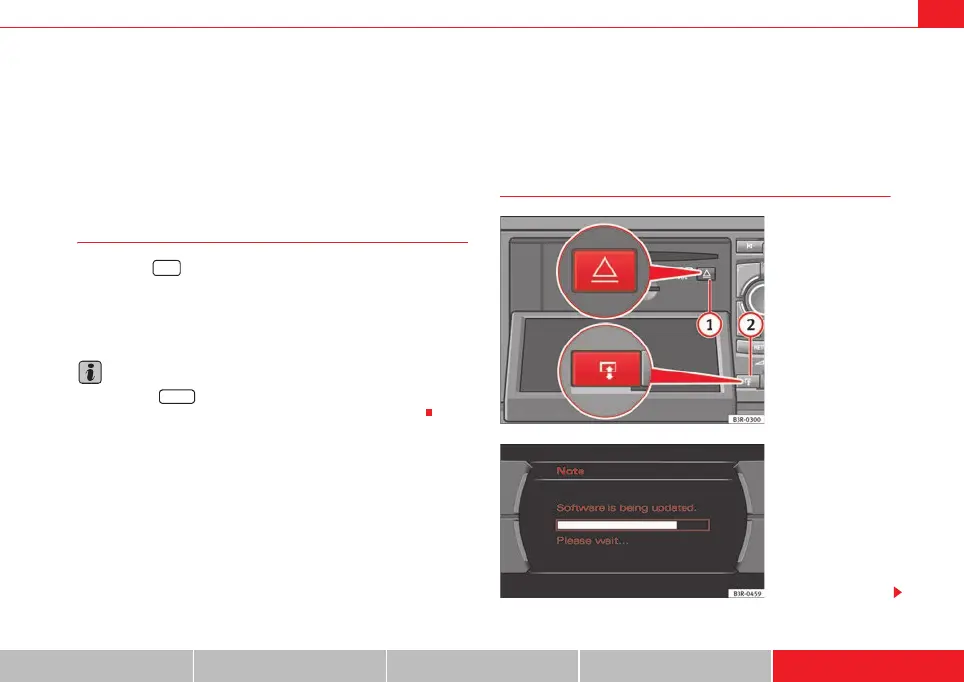
Software update
CAR
SETUP
Fig. 191 Display open:
Navigation drive DVD
Fig. 192 Display: Soft-
ware update
media_systemE_EN.book Seite 151 Montag, 21. September 2009 1:48 13



 To Next Page