MEDIA48
MEDIA
Introduction
Introduction
CD and MP3 modes are selected by using the function
button.
Depending on the equipment in your vehicle, you can use the func-
tion to play audio CDs (in the navigation DVD drive) or the MP3 player
⇒ page 54 integrated into the navigation system.
You can switch between the CD and MP3 function by using the control button
with the Source ⇒ page 50 function.
Traffic programme
Audio/video* playback can be interrupted for traffic news
announcements.
Switching traffic programme on and off
– In the Radio Setup menu, switch the option Traffic programme on
or off as desired ⇒ page 42. The TP symbol is lit in the status line
when the traffic programme is activated and a suitable radio
station has been selected.
Cancelling a traffic announcement
– Select Cancel in the display to cancel a running traffic announce-
ment. The audio/video* playback will then be continued.
If the traffic programme function is activated, the audio/video playback will
be interrupted for traffic news announcements.
All following traffic announcements will cut in even after cancelling a running
announcement.
Note
A traffic announcement will not be recorded if you use the Cancel function
while it is playing. This means you will not be able to access the announce-
ment using the TP memo function ⇒ page 146.
Selecting the audio CD function
– Insert an audio CD into the drive ⇒ page 22.
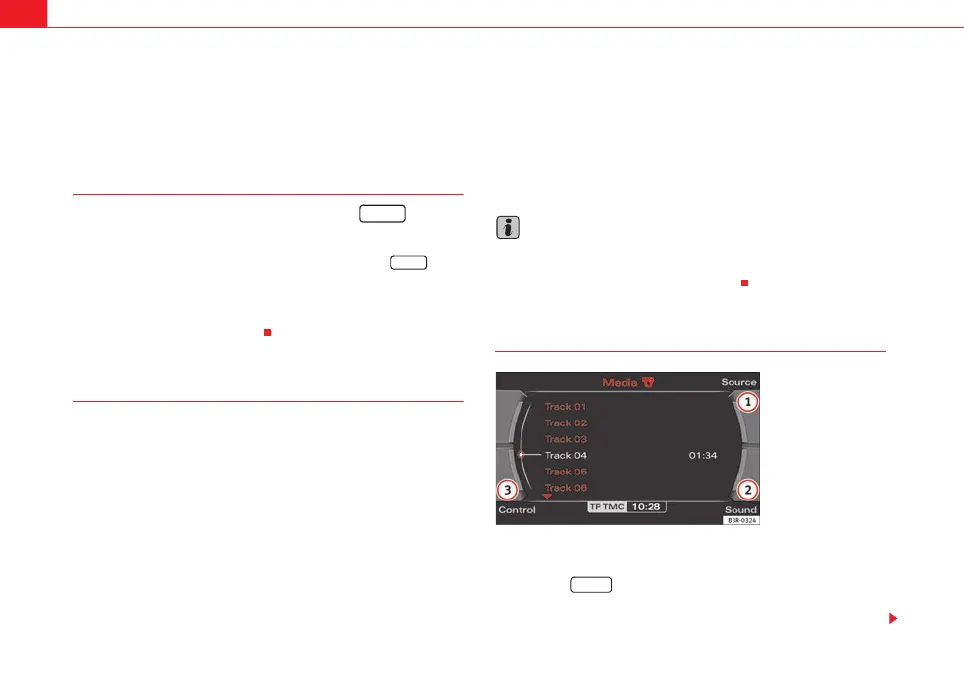
– Press the function button ⇒ page 9. A main audio menu
⇒ fig. 53 or the previously active function menu appears on the
display.
MEDIA
MEDIA
Fig. 53 Display: Main CD
menu (example of a track
list)
MEDIA
media_systemE_EN.book Seite 48 Montag, 21. September 2009 1:48 13



 To Next Page