INFO (Traffic information)148
Traffic information setup
Opening and closing the traffic information setup menu
– While in any Info menu, press the function selector button
⇒ page 9 to access the Setup Info main menu
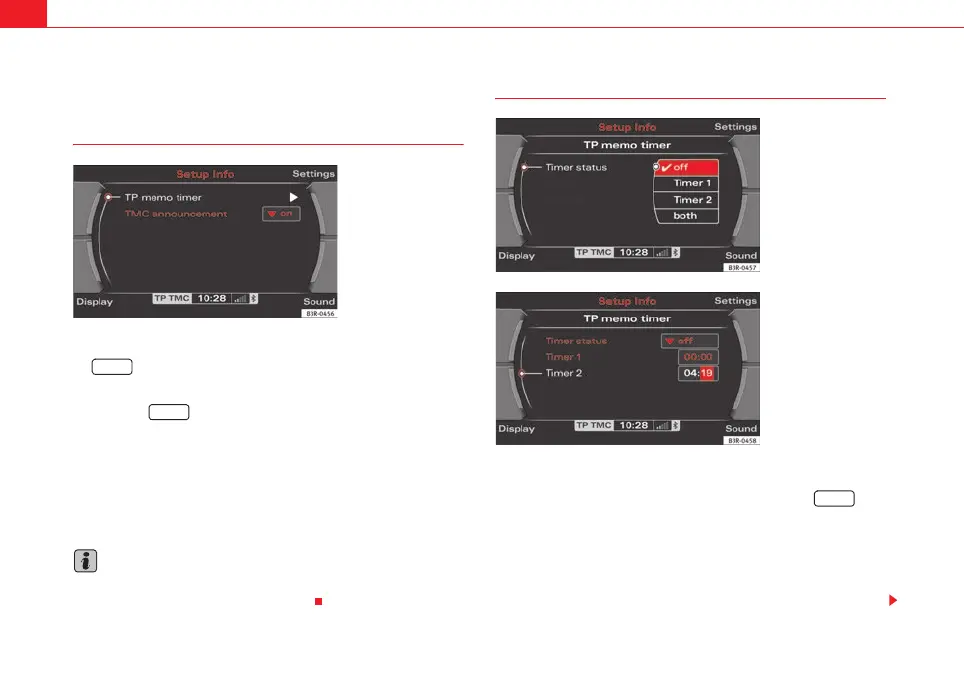
⇒ fig. 188.
– Press the button again to close the main setup menu.
The following options are available in the traffic information setup menu:
• TP memo timer* ⇒ page 148
• TMC announcement* ⇒ page 149
The sound and tuning settings and the brightness of the display can be
altered using the control buttons ⇒ page 153.
Note
We recommend that you enter these settings when the vehicle is stationary.
Please note ⇒ page 6, “Notes on road safety”.
Storing traffic announcements*
Selecting the timer status
– Starting from any one of the INFO menus, press the
⇒ page 9 button.
– Select TP memo timer ⇒ fig. 188.
– Select Timer ⇒ fig. 189.
– Select timer 1, timer 2 or both.
Fig. 188 Traffic informa-
tion setup: Main menu
SETUP
SETUP
Fig. 189 Traffic informa-
tion setup: TP memo timer
(Status)
Fig. 190 Traffic informa-
tion setup: TP memo timer
(shows timers after they
have been set)
SETUP
media_systemE_EN.book Seite 148 Montag, 21. September 2009 1:48 13



 To Next Page