Display18
Selected option
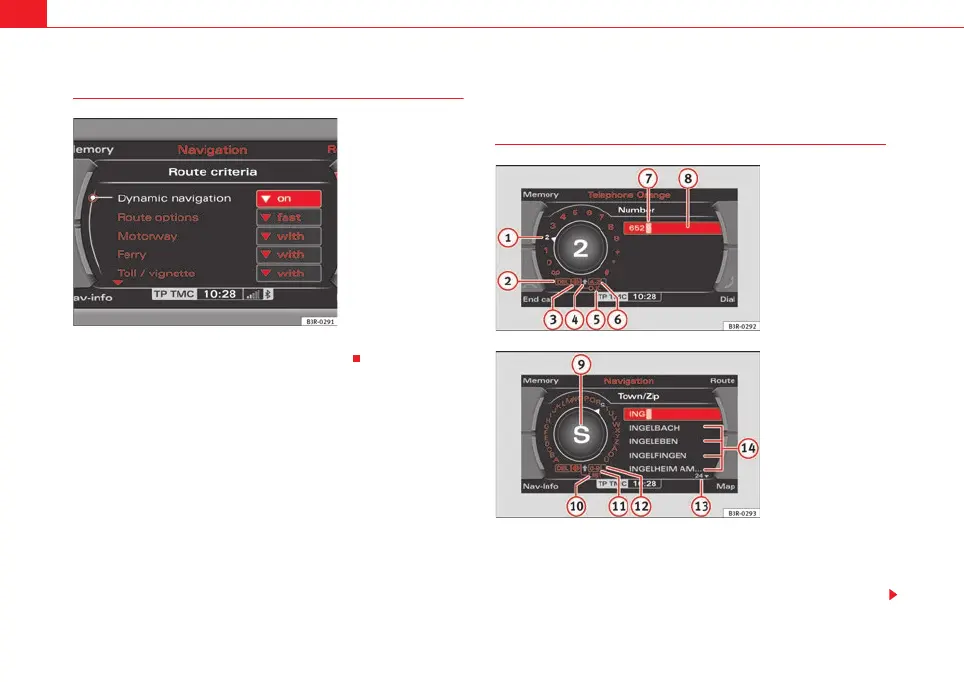
Your choice will be highlighted in white text ⇒ fig. 18.
Working with the alphanumeric keyboard
Summary
The alphanumeric keyboard automatically appears in the display of the navi-
gation system when it is possible or necessary to enter numbers or letters.
Depending on the system mode, the option for entering numbers (⇒ fig. 19)
or letters (⇒ fig. 20) appears in the display. If necessary, you can also switch
Fig. 18 Detail of display:
Selected option
Fig. 19 Display: Number
keyboard
Fig. 20 Display:
Ke yb oa rd in le tte r m od e t o
enter a navigation desti-
nation, for example
media_systemE_EN.book Seite 18 Montag, 21. September 2009 1:48 13



 To Next Page