Adjusting sound settings 59
Operating RADIO, MEDIA (audiovisual
systems)
NAME, TEL NAV, INFO CAR, SETUP
Adjusting sound settings
Setting the sound
– Press the control button for the Sound function from an audio or
SETUP menu or
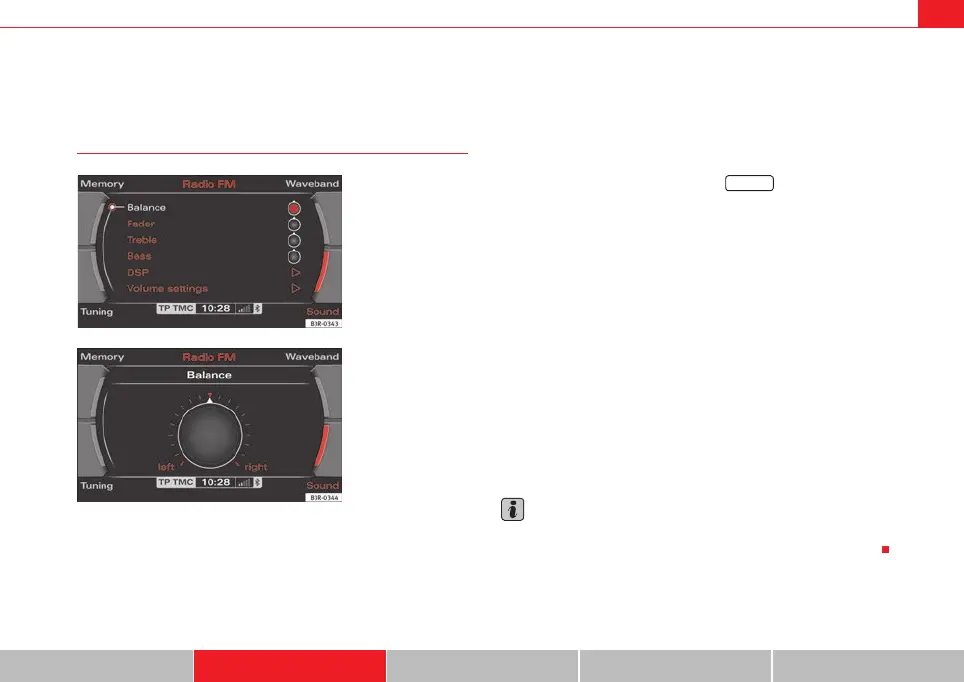
– Select the desired sound setting (e.g. balance) ⇒ fig. 74 using
the control knob.
– Rotate the specific control knob in the sound settings menu (e.g.
balance) ⇒ fig. 75 to set the sound to your liking.
– By pressing the control knob or the button ⇒ page 9,
the setting is saved and you leave the settings menu.
The display ⇒ fig. 75 shows the degree of adjustment.
The following sound settings are available:
• Balance (left/right volume relationship)
• Fader (front/rear sound relationship)
• Treble
• Bass
• DSP (Digital Signal Processing)
• Volume settings of other functions
The sound setting for treble and bass apply to the operating mode currently
active. The balance and fader settings are independent for the operating
mode.
For example, if you change the bass setting while playing a CD, this will have
no effect on the radio sound settings.
Note
In vehicles equipped with a VDA-compatible telephone, the balance of the
equipment should be set to an intermediate level for better sound quality.
Fig. 74 Sound: Balance
adjustment in the radio
menu
Fig. 75 Sound: Balance
adjustment in the radio
menu
RETURN
media_systemE_EN.book Seite 59 Montag, 21. September 2009 1:48 13



 To Next Page