MEDIA 57
Operating RADIO, MEDIA (audiovisual
systems)
NAME, TEL NAV, INFO CAR, SETUP
Repeating MP3 ("RPT")
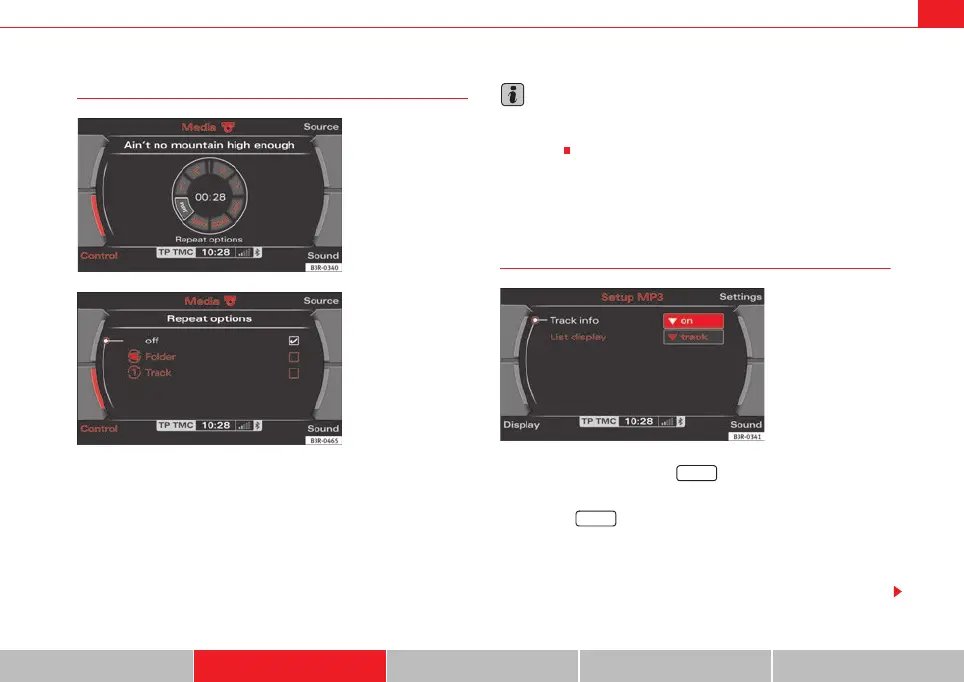
– Press the MP3·control control button in the MP3 menu.
–Select RPT by rotating the control knob ⇒ fig. 69.
–Select off, Folder or Track.
• Off function: The Repeat function is switched off
• Folder function: All tracks in the current folder will be repeated.
• Track function: The MP3 track currently playing will be repeated.
Note
The Repeat options can be combined with the Random function. You can find
more information in the description of the Random (mix) function on
⇒ page 55.
MP3 settings
Opening and closing the MP3 settings menu
– In an MP3 menu, press the ⇒ page 9 button to open the
main Settings menu for the MP3 function ⇒ fig. 71.
– Press the button again to close the main setup menu.
The MP3 settings menu has the following options:
• Track info
• List info
Fig. 69 MP3: Repeat
Fig. 70 Repeat
Fig. 71 Main MP3
settings menu
SETUP
SETUP
media_systemE_EN.book Seite 57 Montag, 21. September 2009 1:48 13



 To Next Page