MEDIA58
The sound and tuning settings and the brightness of the display can be
altered using the control buttons ⇒ page 153.
Note
We recommend that you enter these settings when the vehicle is stationary.
In this way you can be sure that you will not be unnecessarily distracted from
the traffic when reading the messages on the display. Please note ⇒ page 6,
“Notes on road safety”.
Track info
– Press the function button in the MP3 menu ⇒ page 9.
– Select Track information.
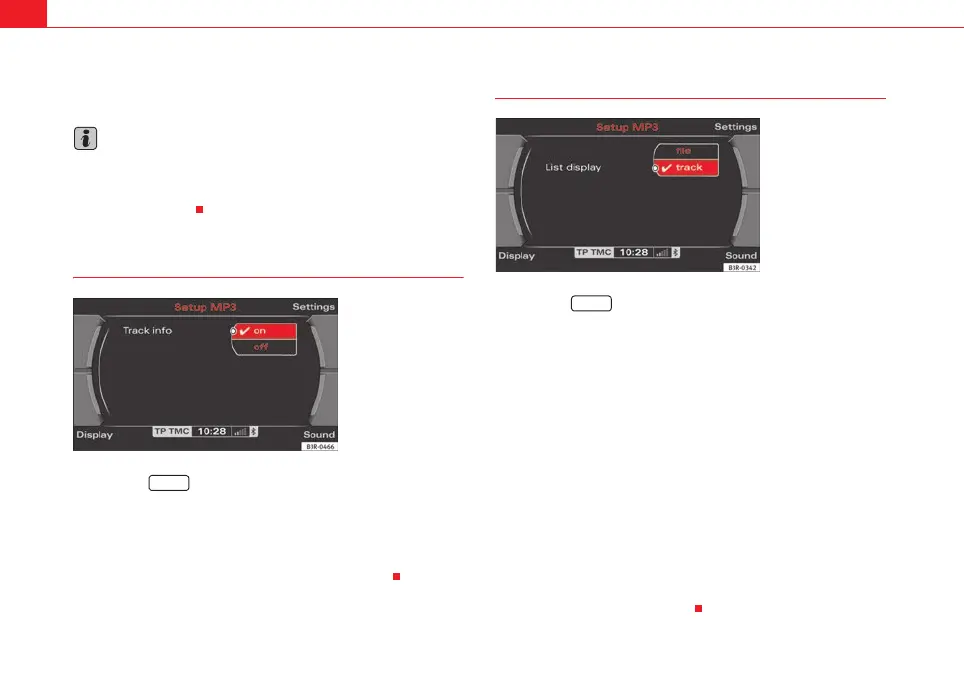
– Select on or off ⇒ fig. 72.
This options allows you to switch track information on and off.
List info
– Press the function button in the MP3 menu ⇒ page 9.
– Select List information.
– Select Track or File ⇒ fig. 73.
Track
Information regarding individual tracks (such as the artist or album, etc) can
be taken from a previously saved ID3 tag.
This is only possible if the desired information has already been saved to the
ID3 tag, otherwise no information will be available.
If you insert a MP3 storage medium and do not play it immediately, the ID3
tags will load in the background. If you start playing the MP3 storage medium
immediately, the ID3 tag for the current track will be displayed.
If no ID3 tags are available or cannot be read, no track information will
appear.
File
No track information will be displayed.
Fig. 72 MP3 settings:
Select Track info
SETUP
Fig. 73 MP3 settings:
Select List info
SETUP
media_systemE_EN.book Seite 58 Montag, 21. September 2009 1:48 13



 To Next Page