Mobile phone system* 83
Operating RADIO, MEDIA (audiovisual
systems)
NAME, TEL NAV, INFO CAR, SETUP
Phone numbers can be stored in different categories in the mobile phone
directory. These categories are displayed as follows:
P Private phone number
W Work phone number
M Mobile phone number
Scroll the left thumbwheel downwards to scroll down the list of stored names
from A to Z. Scroll the left thumbwheel upwards to scroll up the list of stored
names from Z to A. If you "flick" the left thumbwheel you can jump to the next
letter of the alphabet.
Note
The information shown on the instrument panel display depends on the type
of mobile phone used.
Phone settings
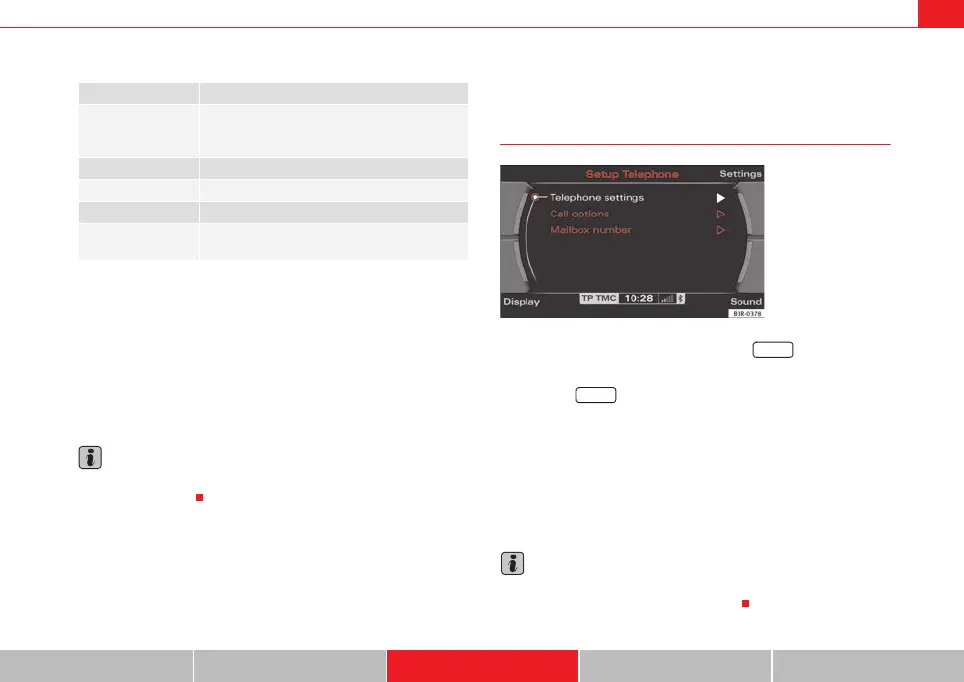
Opening and closing the phone setup menu
– While in any telephone menu, press the function button
to access the main Telephone setup menu.
– Press the button again to close the main setup menu.
The following submenus are available in the telephone setup menu:
• Telephone settings ⇒ page 84
• Call options ⇒ page 84
• Voice mailbox number ⇒ page 85
The sound and tuning settings and the brightness of the display can be
altered using the control buttons ⇒ page 153.
Note
We recommend that you enter these settings when the vehicle is stationary.
Please note ⇒ page 6, “Notes on road safety”.
NO SERVICE No network connection
CALL A call is being made. If the caller's telephone
number is available, the display will alternately
give the caller's number and the message CALL.
LINE ENGAGED Number dialled is engaged.
TELEPHONE OFF The telephone is switched off.
CALLING The connection is being established.
NO ENTRIES The on-board phone memory has no SIM card
entries or mobile phone directory entries.
Fig. 103 Telephone
setup: Main menu
SETUP
SETUP
media_systemE_EN.book Seite 83 Montag, 21. September 2009 1:48 13



 To Next Page