Navigation (NAV)* 131
Operating RADIO, MEDIA (audiovisual
systems)
NAME, TEL NAV, INFO CAR, SETUP
Navigation settings
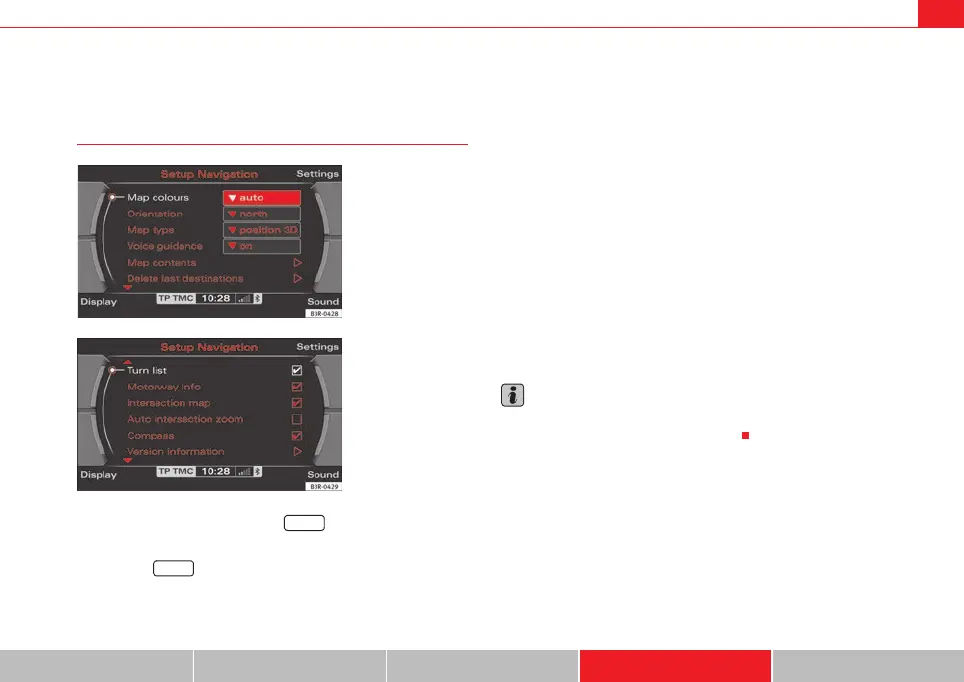
Opening and closing navigation settings menu
– In a Navigation menu, press the function button to open
the main navigation setup menu ⇒ fig. 160.
– Press the button again to close the main setup menu.
The following settings are possible in navigation setup menu:
• Map scheme ⇒ page 132
• Orientation ⇒ page 132
• Map type ⇒ page 133
• Voice information ⇒ page 134
• Map contents ⇒ page 134
• Delete last destinations ⇒ page 135
• Turn list ⇒ page 135
• Motorway info ⇒ page 136
• Intersection map ⇒ page 137
• Auto intersection zoom ⇒ page 137
• Compass ⇒ page 138
• Version information ⇒ page 138
• Demo mode ⇒ page 139
• Set position/direction ⇒ page 139
The sound and tuning settings and the brightness of the display can be
altered using the control buttons ⇒ page 153.
Note
We recommend that you enter these settings when the vehicle is stationary.
Please note ⇒ page 6, “Notes on road safety”.
Fig. 160 Navigation
settings: Main menu
(page 1)
Fig. 161 Navigation
settings: Main menu
(page 2)
SETUP
SETUP
media_systemE_EN.book Seite 131 Montag, 21. September 2009 1:48 13



 To Next Page