Navigation (NAV)*138
If you have activated the Auto intersection zoom and have set the
Destination, Location or Location 3D map type ⇒ page 133, the map will
automatically zoom in at intersections. This provides a better view of the road
layout.
If you activate the Auto intersection zoom function, the Intersection map
function will be deactivated automatically. These two functions are mutually
exclusive.
Compass
–Press the ⇒ page 9 function button in the navigation
menu.
– Highlight Compass with a check mark
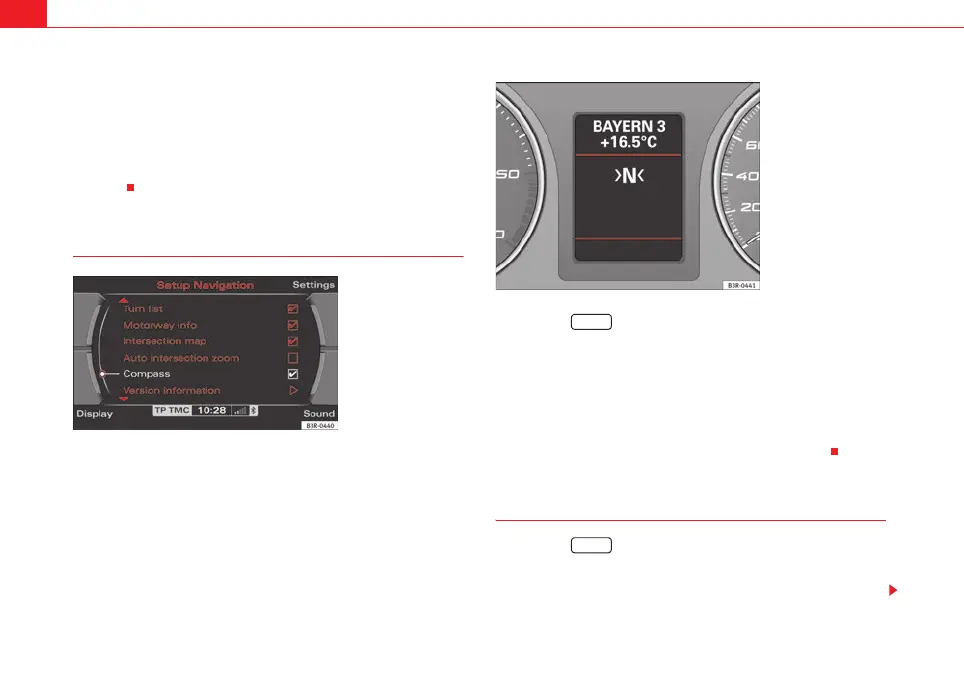
⇒ fig. 172 to activate
the function.
When the route guidance is not activated, the compass will indicate the direc-
tion of travel in the instrument panel display ⇒ fig. 173. If the current
road/street is recognised by the system, it will also be displayed.
Software version
–Press the ⇒ page 9 function button in the navigation
menu.
– Select Version information ⇒ fig. 172.
Fig. 172 Navigation
settings: Compass func-
tion activated
Fig. 173 Instrument
panel display: Example of
a compass display
SETUP
SETUP
media_systemE_EN.book Seite 138 Montag, 21. September 2009 1:48 13



 To Next Page