Navigation (NAV)* 133
Operating RADIO, MEDIA (audiovisual
systems)
NAME, TEL NAV, INFO CAR, SETUP
On
The map display will change automatically according to the set map scale. If
the scale is less than 2.5 km, the map is oriented to vehicle. When the scale
is greater than 2.5 km, the display is oriented to North.
Map type
You can choose from four different map types.
– Press the ⇒ page 9 function button in the navigation
menu.
– Select the desired map display under Map type ⇒ page 131,
fig. 160.
The map types "destination", "location" or "overview" are 2-dimensional. If
you select "Location 3D" the map is shown in three dimensions.
The following settings are possible:
Destination
The map display is oriented to the destination, meaning that the map always
shows the current single destination or final destination for a current route
plan. The destination is marked with a destination flag. When you select this
map type, the North ⇒ page 132 orientation is set automatically to make it
easier to orient yourself.
Location map
The current vehicle location is displayed. The orientation of the map matches
the settings in the Navigation System ⇒ page 132.
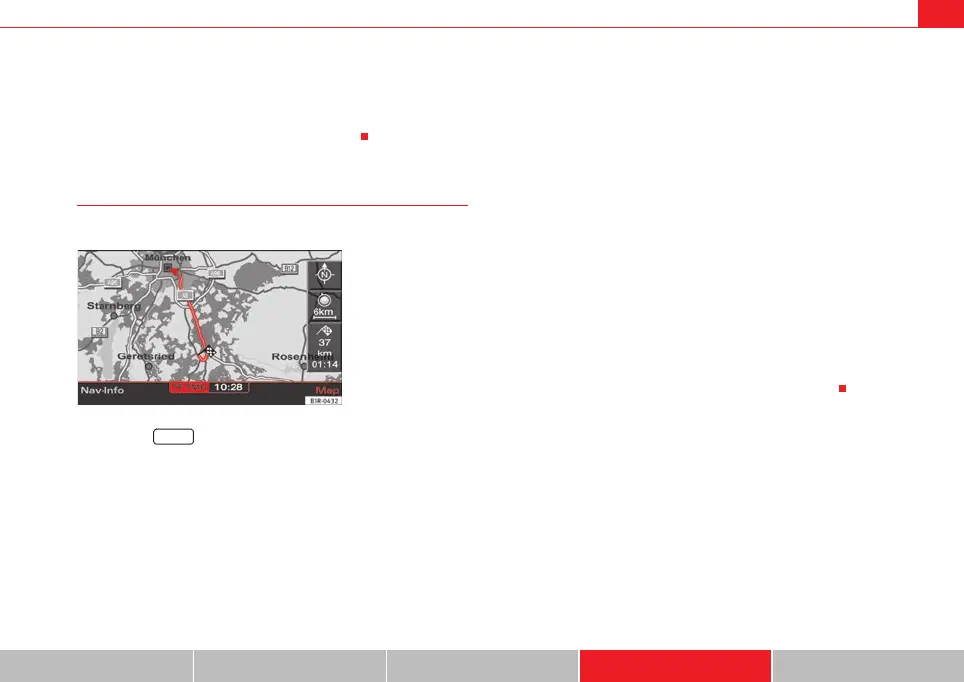
Overview
When you select this type of map, the entire remaining route is shown auto-
matically in the base scale ⇒ fig. 164. To make the map display easier to
read, it is automatically oriented to North ⇒ page 132.
Current position 3D
The map is shown in a 3D perspective (as seen from the current location).
When you select this map type, the map display will automatically switch to
the setting dir. of travel ⇒ page 132 to provide a better overview.
Fig. 164 Navigation
Setup: Map type overview
SETUP
media_systemE_EN.book Seite 133 Montag, 21. September 2009 1:48 13



 To Next Page