Navigation (NAV)*134
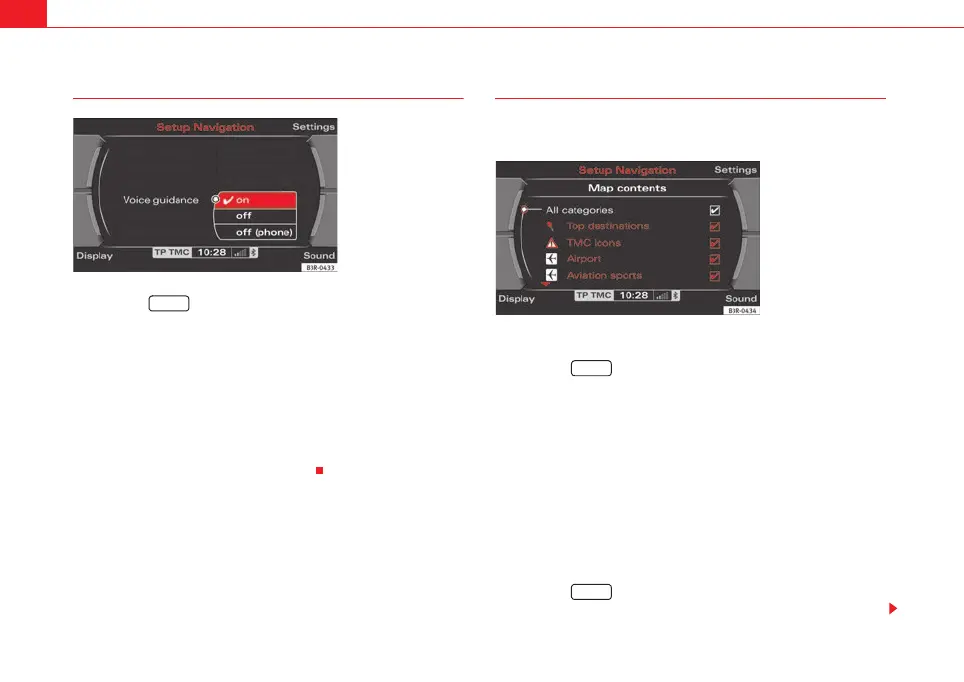
Spoken navigation directions
– Press the ⇒ page 9 function button in the navigation
menu.
– Select the desired setting under Voice guidance ⇒ fig. 165.
• Set to on: You will receive spoken navigation directions during route guid-
ance.
• Set to off: You will NOT receive any spoken navigation directions during
route guidance.
• Set to off (tel.): You will hear spoken navigation directions during route
guidance, but NOT while you are on the phone.
Map content
In addition to the information displayed automatically, the
map can also display other information.
Activating the map contents
–Press the ⇒ page 9 function button in the navigation
menu.
– Select Map contents ⇒ page 131, fig. 160.
– Use the rotary pushbutton to select the information you want to
have displayed. A tick
will appear next to the options that are
selected ⇒ fig. 166, or
– Select the All categories option and press the control knob so
that a check mark
appears after All categories. The tick box
will also appear after all the options.
Deactivating individual map contents
–Press the ⇒ page 9 function button in the navigation
menu.
Fig. 165 Navigation
settings: Voice informa-
tion
SETUP
Fig. 166 Navigation
settings: Map contents
list
SETUP
SETUP
media_systemE_EN.book Seite 134 Montag, 21. September 2009 1:48 13



 To Next Page